Azure AI Agent Service completely changed how I think about building AI systems.
I need to have a conversation with myself about the time I tried to build a “Super Bot.”
I thought I was being clever. I took GPT-4, gave it a 5,000-word system prompt containing our entire company handbook, refund policy, technical debugging guide, and HR protocols. I wired it up to a Slack bot and said, “Go.”
It was a disaster.
When a customer asked for a refund, the bot would halluncinate a SQL query. When a developer asked for a SQL query, the bot would apologize for the inconvenience and offer a 20% coupon code.
It was suffering from Cognitive Overload. I was trying to make one “Generalist” do the work of an entire department.
That is when I discovered the Azure AI Agent Service and the concept of Multi-Agent Systems.
Instead of one giant brain, I needed a team. I needed a “Triage Agent” to answer the phone, a “Tech Agent” to fix the code, and a “Sales Agent” to close the deal.
In this tutorial, I’m going to walk you through exactly how I built my first robust multi-agent system on Azure, and how you can do it too.
The Concept: Why Multi-Agent?
Before we write code, we need to shift our mindset.
In a Single-Agent system, the LLM is a solo freelancer. In a Multi-Agent system, you are the Manager. You are building an organization.
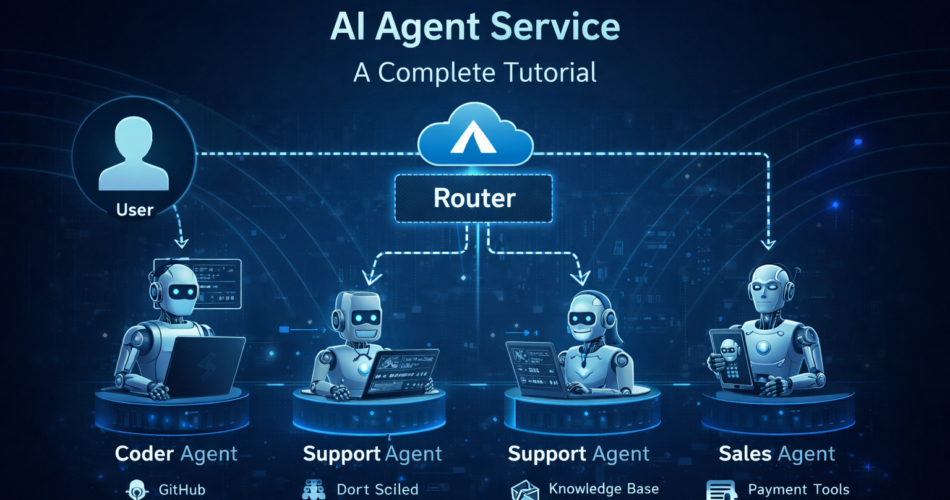
The “Orchestrator” Pattern:
This is the architecture we will build today.
- The User: Talks to the system.
- The Router (Orchestrator): Analyzes the request and decides who handles it.
- The Specialists:
- Agent A (Coder): Has access to GitHub and Python tools.
- Agent B (Support): Has access to the Knowledge Base and CRM.
- The Result: The specialist does the work and reports back.
Prerequisites & Setup
Let’s get the plumbing out of the way. I wasted hours fighting permission errors, so here is the “Happy Path” to get set up.
1. The Azure Resources
You need to head to the Azure AI Foundry (formerly AI Studio) and create a Project.
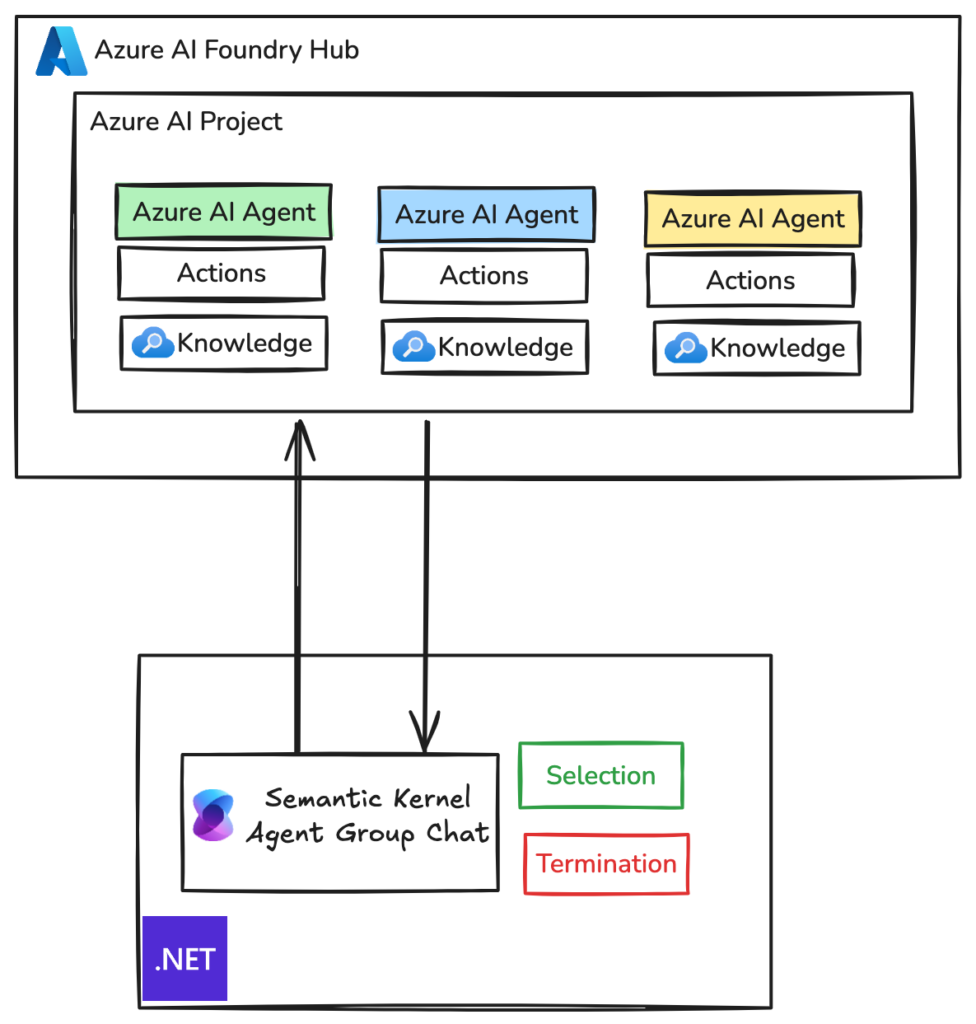
This Project is the container for your agents. It automatically provisions:
- Azure OpenAI Service: For the LLM brains (I recommend GPT-4o for the Orchestrator and GPT-4o-mini for simple specialists).
- Azure AI Search: If you want your agents to read documents (RAG).
- Managed Identity: Crucial for secure tool access.
2. The Development Environment
I strongly recommend using Python for this. The Azure AI SDKs for Python are mature and robust.
pip install azure-ai-projects azure-identity azure-ai-inferenceYou will need to set your environment variables. Don’t hardcode these (I learned that the hard way when I committed a key to GitHub).
import os
from azure.identity import DefaultAzureCredential
from azure.ai.projects import AIProjectClient

project_connection_string = os.getenv("AZURE_AI_PROJECT_CONNECTION_STRING")
client = AIProjectClient.from_connection_string(
    credential=DefaultAzureCredential(),
    conn_str=project_connection_string,
)
Building the Specialists
We are going to build two agents. A Refund Agent (who is empathetic and has policy data) and a Math Agent (who is cold, logical, and has a calculator).
Step 1: The Refund Agent (File Search Tool)
This agent needs to know our policies. I uploaded a PDF of our refund policy to Azure AI Studio.
Then, I created the agent in code:
refund_agent = client.agents.create_agent(
    model="gpt-4o",
    name="Refund_Specialist",
    instructions="""You are a customer support agent.
    You only handle refund requests.
    Use the 'refund_policy' vector store to verify eligibility.
    Be polite and empathetic.""",
    tools=[{"type": "file_search"}] # Giving it RAG capabilities
)
Step 2: The Math Agent (Code Interpreter)
This agent needs to calculate the exact refund amount including tax. LLMs are bad at math. Code Interpreters are great at math.
math_agent = client.agents.create_agent(
    model="gpt-4o",
    name="Math_Wizard",
    instructions="""You are a calculator.
    You do not chat.
    You receive numbers and return the calculated result.
    Use the code_interpreter tool for accuracy.""",
    tools=[{"type": "code_interpreter"}]
)
The Orchestrator: Making Them Talk
This is the hardest part. How do you make them work together?
I used a Router Pattern. I created a third entity—the “Manager”—that sits in the middle. It doesn’t do work; it just routes traffic.
The “Router” Logic
I defined a function tool that allows the Router to “call” the other agents.
def route_request(user_query):
    # This acts as the brain of the operation
    system_message = """
    You are a Router.
    If the user asks about money back, call the Refund_Specialist.
    If the user asks for a calculation, call the Math_Wizard.
    If unsure, ask for clarification.
    """

    response = client.chat.completions.create(
        model="gpt-4o",
        messages=[
            {"role": "system", "content": system_message},
            {"role": "user", "content": user_query}
        ],
        tools=defined_tools_mapping # Mapping to the agents created above
    )

    return response
When a user says, “I want a refund for order #123, it cost $50 plus 8% tax,” here is what happens:
- Router sees “refund” and “calculation.”
- Router passes the math part to Math_Wizard: “Calculate 50 + 8%”.
- Math_Wizard runs Python code and returns: “$54.00”.
- Router passes the context to Refund_Specialist: “Customer wants refund of $54.00 for order #123. Check policy.”
- Refund_Specialist checks the PDF and drafts the email.
It feels like magic.
Implementation Deep Dive: Handling State
One thing the documentation doesn’t tell you is how messy Threads can get.
In Azure AI Agent Service, a Thread stores the conversation history. When you have multiple agents, you have a choice:
- Shared Thread: All agents see everything.
- Isolated Threads: Each agent has a private thread with the Router.
I chose Isolated Threads.
Why I chose Isolated Threads
Handling ‘The Loop’
I implemented a “Max Turn” limit in my loop. If the agents exchange messages more than 5 times without a final answer to the user, the Router kills the process and raises a “Human Intervention” error.
Testing & Optimization
Once I built this, I had to verify it actually worked.
1. Tracing with Azure AI Monitor
Azure AI Studio has a “Tracing” tab. This is essential. You can see the visual flow:
- User Input $\rightarrow$ Router
- Router $\rightarrow$ Math Agent (Tool Call)
- Math Agent $\rightarrow$ Output
- Router $\rightarrow$ User
If your system breaks, this trace view is the only way to find out which agent dropped the ball.
2. Cost Optimization
I noticed my costs spiking. Why?
I was using GPT-4o for everything.
I realized the Router needs to be smart (GPT-4o).
But the Math Agent? It just writes Python scripts. I swapped it to GPT-4o-mini.
The Refund Agent? It just summarizes text. I swapped it to GPT-4o-mini.
Result: My cost per interaction dropped by 60% with zero loss in quality.
Final Thoughts
Building a Multi-Agent system on Azure felt intimidating at first. It felt like I was writing code to manage employees rather than writing logic.
But that is exactly what it is.
The Azure AI Agent Service provides the office building (the infrastructure), the filing cabinets (Vector Stores), and the calculators (Code Interpreter). Your job is to write the job descriptions (Prompts) and hire the right people (Models).
If you are struggling with a complex AI application that hallucinates or forgets rules, stop trying to make one agent do it all. Break it up. Hire a specialist.
Trust me, your “Super Bot” will thank you.
Related Reading: Ensure your systems scale smoothly by checking out our Azure OpenAI Rate Limits Guide.