The Meeting That Changed How I Looked at Azure AI
I used to think “Azure AI” meant one or two smart APIs.
Then came a project review where someone casually said:
“We’re using Vision for product images, Speech for call transcription, Language for support tickets, OpenAI for our chatbot, Cognitive Search for documents, and Machine Learning for custom models.”
That’s when it hit me.
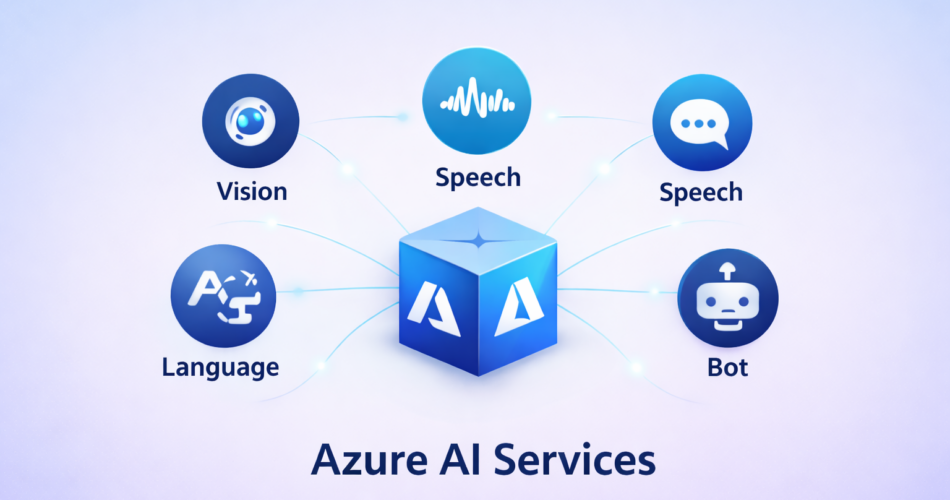
Azure AI isn’t a single service — it’s an entire ecosystem of specialized intelligence layers.
And unless you understand what each service actually does, it’s easy to pick the wrong tool, overbuild solutions, or miss capabilities that already exist.
This is the complete azure ai services list — explained in practical terms, not marketing copy. Whether you’re architecting a new system or optimizing an existing one, this guide will help you choose the right AI service for the job.
What Azure AI Services Really Are
Azure AI Services (formerly known as Cognitive Services) are prebuilt, production-ready AI APIs that let you add intelligence to applications without training models from scratch.
You can explore all official capabilities and developer guides in the Azure AI documentation.
They’re organized into clear capability categories:
- Vision — Understand images and video
- Speech — Process audio and voice
- Language — Extract meaning from text
- Decision — Make intelligent recommendations
- Generative AI — Create content with OpenAI models
- Search — Find information intelligently
- Conversational AI — Build bots and assistants
- Applied AI — Domain-specific solutions
- ML Platforms — Train and deploy custom models
Let’s dive into every major Azure AI service, what it does, when to use it, and how it differs from similar options.
🤖 Azure OpenAI Service
Azure OpenAI Service brings OpenAI’s powerful models to Azure with enterprise-grade security, compliance, and responsible AI features. Unlike public OpenAI APIs, Azure OpenAI keeps your data within your Azure tenant and offers SLA-backed reliability.
GPT-4
GPT-4 is OpenAI’s most advanced reasoning model, capable of complex analysis, creative writing, code generation, and multi-step problem solving. It supports function calling (letting it use external tools), vision input (analyzing images), and structured outputs. This is the model for scenarios requiring the highest quality output, even at higher cost.
Common use cases: AI copilots, complex data analysis, advanced code generation
Code example:
from openai import AzureOpenAI

client = AzureOpenAI(
    api_key=key,
    api_version="2024-02-01",
    azure_endpoint=endpoint
)

response = client.chat.completions.create(
    model="gpt-4",
    messages=[
        {"role": "system", "content": "You are a helpful assistant."},
        {"role": "user", "content": "Explain quantum computing to a 10-year-old"}
    ]
)

print(response.choices[0].message.content)
GPT-4 Turbo
GPT-4 Turbo is an optimized variant of GPT-4 with larger context windows (128K tokens), faster response times, and lower cost. It handles larger documents and longer conversations while maintaining high quality. This is the production workhorse for most GPT-4 applications.
Common use cases: Production chatbots, document analysis, long-context applications
GPT-3.5 Turbo
GPT-3.5 Turbo offers a sweet spot of good performance at significantly lower cost than GPT-4. It’s fast, reliable, and perfectly adequate for standard chatbot interactions, simple content generation, and straightforward Q&A. Many production applications start here and only upgrade to GPT-4 when they hit quality limitations.
Common use cases: Cost-sensitive chatbots, simple content generation, high-volume applications
DALL·E 3
DALL·E 3 generates high-quality images from text descriptions. It produces creative, detailed images based on prompts and handles complex scenes, artistic styles, and specific requirements. The integration with Azure includes content filtering and enterprise data protection.
Common use cases: Marketing asset creation, product visualization, creative tools
Whisper
Whisper is OpenAI’s speech-to-text model, offering exceptional accuracy even with accented speech, background noise, and technical terminology. It outperforms many traditional ASR systems, especially on challenging audio. Azure’s implementation includes the same enterprise security as other OpenAI services.
Common use cases: Meeting transcription, podcast processing, multilingual audio transcription
Text Embeddings
Text Embeddings convert text into high-dimensional vector representations that capture semantic meaning. These vectors enable semantic search (finding similar content by meaning, not just keywords), clustering, and recommendation systems. They’re the foundation of Retrieval Augmented Generation (RAG) pipelines that give LLMs access to your documents.
Common use cases: Semantic search, document similarity, RAG pipelines
Code example:
from openai import AzureOpenAI

client = AzureOpenAI(api_key=key, api_version="2024-02-01", azure_endpoint=endpoint)

response = client.embeddings.create(
    model="text-embedding-ada-002",
    input="Azure AI Services provide prebuilt intelligence"
)

embedding_vector = response.data[0].embedding  # 1536-dimensional vector
🧠 Machine Learning & AI Platforms
For teams that need to train custom models beyond what prebuilt services offer, Azure provides full ML platforms.
Azure Machine Learning
Azure Machine Learning is a comprehensive platform for the entire ML lifecycle: data preparation, model training, deployment, monitoring, and retraining. It supports notebooks, automated ML, designer (visual pipelines), MLOps, and responsible AI tools. This is where data scientists and ML engineers build production ML systems.
Common use cases: Custom model development, ML pipeline automation, production ML systems
AutoML
AutoML automatically trains and tunes machine learning models with minimal manual effort. You provide a dataset and target variable, and AutoML tries multiple algorithms, hyperparameters, and feature engineering approaches to find the best model. It’s perfect for data scientists who want to quickly establish baselines or for teams without deep ML expertise.
Common use cases: Rapid model prototyping, baseline model establishment, democratizing ML
Designer
Designer is a drag-and-drop visual interface for building ML pipelines without code. You connect data sources, transformations, training algorithms, and deployment steps visually. It generates reusable pipeline code and is great for learning ML concepts or building reproducible workflows.
Common use cases: Visual ML workflow creation, ML education, reproducible pipelines
Responsible AI Dashboard
Responsible AI Dashboard provides tools for understanding and debugging ML models. It includes explainability features (which features matter most?), fairness assessment (does the model treat groups equally?), error analysis (where does it fail?), and counterfactual analysis (what changes would alter predictions?). This is critical for regulated industries and ethical AI deployment.
Common use cases: Model debugging, bias detection, regulatory compliance
MLOps
MLOps brings DevOps practices to machine learning, automating the training, testing, deployment, and monitoring of ML models. It includes CI/CD pipelines for models, automated retraining when data drifts, model versioning, and A/B testing infrastructure. This is how enterprises run hundreds or thousands of models reliably in production.
Common use cases: Production ML automation, model lifecycle management, continuous training
🔍 Search Services
Azure Cognitive Search
Azure Cognitive Search is an enterprise-grade search engine that indexes both structured and unstructured data. It goes beyond keyword search with features like faceted navigation, autocomplete, fuzzy matching, and AI enrichment (using other Azure AI services to extract insights during indexing). You can build sophisticated search experiences over documents, databases, and content repositories.
Common use cases: Knowledge base search, e-commerce product search, enterprise document discovery
Vector Search
Vector Search enables semantic similarity search using embeddings instead of keywords. You store document embeddings (from Text Embeddings or other models) in the search index, then query with question embeddings to find semantically similar content. This is essential for modern AI applications, especially RAG systems that need to find relevant context for LLMs.
Common use cases: Semantic document search, RAG pipelines, similarity-based recommendations
When to use Vector Search vs Keyword Search: Use vector search for semantic similarity (“find documents about this topic”). Use keyword search for exact matches (“find documents mentioning ‘Azure AI Services'”). Best results often combine both.
Semantic Ranker
Semantic Ranker improves search relevance by understanding query intent and document meaning rather than just matching keywords. It re-ranks search results using deep learning models that understand context and semantics. This add-on to Cognitive Search dramatically improves result quality with minimal configuration.
Common use cases: Improving existing search quality, intent-aware search, contextual document retrieval
👁️ Vision Services
Computer Vision
Computer Vision is Azure’s flagship image analysis API. It detects objects, brands, landmarks, colors, and visual content from images, returning structured JSON you can parse reliably. The service handles everything from basic tagging to adult content detection, making it the go-to starting point for teams new to vision AI. Most organizations begin here before moving to specialized services like Custom Vision or Form Recognizer when they need domain-specific accuracy.
Common use cases: Image tagging for content management, accessibility captions for visually impaired users, content moderation for user uploads
Code example:
from azure.cognitiveservices.vision.computervision import ComputerVisionClient
from msrest.authentication import CognitiveServicesCredentials

client = ComputerVisionClient(endpoint, CognitiveServicesCredentials(key))
analysis = client.analyze_image(image_url, visual_features=['tags', 'description'])

print(f"Description: {analysis.description.captions[0].text}")
for tag in analysis.tags:
    print(f"Tag: {tag.name} (confidence: {tag.confidence:.2f})")
Face API
Face API detects human faces in images and videos, analyzing attributes like age range, emotion, facial landmarks, and head pose. It can also perform face verification (is this the same person?) and identification (who is this person from a known group?), though these features come with strict responsible AI guidelines and compliance requirements. The service is designed for scenarios where you have explicit consent and legitimate business needs, not for surveillance or mass monitoring.
Common use cases: Identity verification for account access, attendance tracking in corporate environments, photo organization apps
When to use Face vs Computer Vision: Use Face API when you specifically need facial analysis or recognition. Use Computer Vision for general object detection that happens to include faces.
Custom Vision
Custom Vision lets you train your own image classification or object detection models using labeled images. This is the service you turn to when generic vision models aren’t accurate enough for your specific domain — whether that’s identifying manufacturing defects, classifying product categories, or detecting company-specific logos. The training process is straightforward: upload labeled images through a UI or API, train the model, and deploy it as a REST endpoint. No machine learning expertise required.
Common use cases: Quality control in manufacturing, custom product categorization, brand-specific visual recognition
Code example:
from azure.cognitiveservices.vision.customvision.training import CustomVisionTrainingClient
from azure.cognitiveservices.vision.customvision.prediction import CustomVisionPredictionClient

# Train a classifier
training_client = CustomVisionTrainingClient(training_key, endpoint)
project = training_client.create_project("Product Classifier")

# Add images with tags, then train
iteration = training_client.train_project(project.id)

# Use the model
predictor = CustomVisionPredictionClient(prediction_key, endpoint)
results = predictor.classify_image(project.id, iteration.name, image_data)
Document Intelligence (formerly Form Recognizer)
Document Intelligence extracts structured data from invoices, receipts, contracts, IDs, and other business documents. Unlike basic OCR that just reads text, this service understands document layout, recognizes key-value pairs, and extracts tables with proper structure. It offers prebuilt models for common document types (invoices, receipts, W-2s, etc.) and lets you train custom models for your specific forms. This is the backbone of document automation workflows across industries.
Common use cases: Invoice processing automation, expense report management, identity verification from government IDs
When to use Document Intelligence vs OCR: Use Document Intelligence when you need structured data extraction (fields, tables, key-values). Use plain OCR when you just need raw text.
Video Indexer
Video Indexer analyzes video content to extract insights like spoken words, visible faces, scenes, topics, brands, and sentiments. It essentially combines vision, speech, and language capabilities into a single video processing pipeline. The service creates searchable transcripts, identifies people and objects across frames, and generates metadata that makes large video libraries searchable. Media companies use it for content discovery, while compliance teams use it for policy enforcement.
Common use cases: Media library searchability, video content moderation, compliance monitoring
Spatial Analysis
Spatial Analysis processes live or recorded video streams to understand people movement in physical spaces. It can count people entering/exiting zones, measure social distancing, detect queue lengths, and analyze foot traffic patterns. The service is designed to run at the edge for privacy-focused scenarios where video doesn’t need to leave the premises. Popular in retail analytics, workplace safety, and smart building management.
Common use cases: Retail foot traffic analysis, occupancy monitoring for safety limits, queue management
Privacy note: This service requires careful consent handling and privacy policy disclosure since it processes people’s movements.
Image Analysis
Image Analysis is the next-generation vision service that consolidates and improves upon older Computer Vision capabilities. It provides more accurate tagging, better captioning, and enhanced object detection using newer model architectures. Microsoft is gradually migrating features to this service, making it the recommended choice for new projects requiring general image understanding.
Common use cases: Modern image understanding workflows, safer content moderation, accessibility tools
OCR (Optical Character Recognition)
OCR extracts both printed and handwritten text from images and documents. It supports over 100 languages and works well even on noisy, low-quality images. While OCR is available as a standalone service, it’s also embedded inside Document Intelligence and other services. Use standalone OCR when you need simple text extraction without structure analysis.
Common use cases: Document digitization, text extraction from screenshots, scanning historical records
🎤 Speech Services
Speech-to-Text
Speech-to-Text converts spoken audio into written text with high accuracy. It supports both real-time streaming and batch transcription of pre-recorded audio. The service handles multiple languages, speaker diarization (identifying who said what), and custom vocabulary for domain-specific terms. It’s the foundation for meeting transcription, call center analytics, and voice command interfaces.
Common use cases: Call center transcription, meeting notes automation, voice analytics
Code example:
import azure.cognitiveservices.speech as speechsdk

speech_config = speechsdk.SpeechConfig(subscription=key, region=region)
audio_config = speechsdk.audio.AudioConfig(filename="audio.wav")

recognizer = speechsdk.SpeechRecognizer(speech_config=speech_config, audio_config=audio_config)
result = recognizer.recognize_once()

if result.reason == speechsdk.ResultReason.RecognizedSpeech:
    print(f"Recognized: {result.text}")
Text-to-Speech
Text-to-Speech generates natural-sounding voices from text input. Azure offers neural voices that sound remarkably human, with support for multiple languages, speaking styles, and emotional tones. You can fine-tune pronunciation, adjust speaking rate, and even create custom neural voices trained on specific voice samples. The service uses SSML (Speech Synthesis Markup Language) for precise control over output.
Common use cases: Voice assistants, accessibility tools for visually impaired users, IVR systems
Speech Translation
Speech Translation combines speech recognition and translation into a single real-time service. It converts spoken language in one language into text or speech in another language, with low latency suitable for live conversations. This is ideal for multilingual meetings, customer support scenarios, and international collaboration.
Common use cases: Live meeting translation, multilingual customer support, international conference calls
Speaker Recognition
Speaker Recognition identifies or verifies speakers by analyzing voice characteristics. In verification mode, it confirms whether a speaker is who they claim to be (like voice biometrics for authentication). In identification mode, it determines who is speaking from a known group of speakers. The service requires privacy-aware enrollment and is designed for legitimate authentication scenarios, not surveillance.
Common use cases: Voice-based authentication, fraud prevention in call centers, speaker identification in meetings
Pronunciation Assessment
Pronunciation Assessment evaluates spoken language for accuracy, fluency, completeness, and prosody. It’s specifically designed for language learning applications, providing detailed feedback on how well learners pronounce words and sentences. The service supports multiple languages and accent variations.
Common use cases: Language learning platforms, corporate training tools, speech therapy applications
Custom Speech
Custom Speech allows you to adapt speech models to handle domain-specific vocabulary, accents, or background noise patterns. By providing training data (audio + transcripts), you can improve recognition accuracy for technical terms, industry jargon, or specific acoustic environments. This is essential for healthcare, legal, manufacturing, and other specialized domains where standard models struggle.
Common use cases: Medical transcription, legal documentation, industry-specific call centers
📚 Language Services
Language Understanding (LUIS)
LUIS (Language Understanding Intelligent Service) maps user input to intents and extracts entities, enabling applications to understand what users want. You train it by providing example utterances labeled with intents (“BookFlight”, “CancelReservation”) and entities (dates, locations, names). While LUIS is still widely used, Microsoft is gradually migrating features to Conversational Language Understanding (CLU) for newer projects.
Common use cases: Chatbot intent recognition, voice assistant commands, natural language interfaces
Translator
Translator provides fast, high-quality neural machine translation across 100+ languages. It supports text translation, document translation, and even custom translation models trained on your domain-specific terminology. The service handles everything from single sentences to large documents, with automatic language detection included.
Common use cases: Website localization, document translation, real-time chat translation
Code example:
import requests

endpoint = "https://api.cognitive.microsofttranslator.com"
path = '/translate?api-version=3.0&to=es,fr'

headers = {
    'Ocp-Apim-Subscription-Key': key,
    'Content-type': 'application/json'
}

body = [{'text': 'Hello, how are you?'}]
response = requests.post(endpoint + path, headers=headers, json=body)
translations = response.json()

for translation in translations[0]['translations']:
    print(f"{translation['to']}: {translation['text']}")
Text Analytics
Text Analytics analyzes text to extract sentiment (positive/negative/neutral/mixed), identify key phrases, recognize named entities, and detect language. It’s a Swiss Army knife for text analysis, commonly used to process customer feedback, social media posts, and survey responses. The service returns confidence scores and structured results that integrate easily into dashboards and analytics pipelines.
Common use cases: Customer feedback analysis, social media monitoring, survey response processing
Question Answering
Question Answering (which replaced the older QnA Maker) creates FAQ-style bots from knowledge bases. You can ingest documents, websites, or manually curated Q&A pairs, and the service uses semantic matching to find relevant answers to user questions. It’s the fastest way to build a knowledge base bot without writing complex NLP code.
Common use cases: Customer support bots, internal knowledge portals, FAQ automation
Conversational Language Understanding (CLU)
CLU is the next-generation intent recognition service that improves upon LUIS with better context handling, multi-turn conversation support, and tighter integration with Azure’s conversational AI stack. It’s designed for modern chatbots that need to handle complex, multi-step conversations rather than simple single-turn interactions.
Common use cases: Advanced chatbots, multi-turn dialogs, contextual voice assistants
When to use CLU vs LUIS: Use CLU for new projects. Use LUIS only for maintaining existing applications until migration is complete.
Named Entity Recognition (NER)
NER identifies and categorizes entities in text like people, organizations, locations, dates, quantities, and percentages. It’s particularly useful in document processing workflows where you need to extract structured information from unstructured text. Azure supports both prebuilt entity categories and custom entity recognition.
Common use cases: Document processing, compliance screening, information extraction
Key Phrase Extraction
Key Phrase Extraction pulls the most important phrases from text, effectively summarizing content without generating new sentences. It’s lightweight, fast, and perfect for quickly identifying topics in large document collections or extracting highlights from long texts.
Common use cases: Document tagging, content summarization, topic identification
Language Detection
Language Detection automatically identifies the language of input text, returning the language code and confidence score. It works even on short text snippets and is often used as a preprocessing step before translation or language-specific analysis.
Common use cases: Routing multilingual customer inquiries, preprocessing for translation, content filtering
Opinion Mining
Opinion Mining performs aspect-based sentiment analysis, identifying not just overall sentiment but sentiment toward specific aspects or features. For example, in a product review, it can tell you that customers love the camera but dislike the battery life. This granular insight is invaluable for product teams and customer experience analytics.
Common use cases: Product review analysis, feature feedback assessment, customer experience insights
Text Summarization
Text Summarization automatically condenses long documents into shorter summaries. It supports both extractive summarization (selecting key sentences) and abstractive summarization (generating new summary text). This helps users quickly understand long reports, articles, or documentation.
Common use cases: Report summarization, news aggregation, research paper digests
🎯 Decision Services
Anomaly Detector
Anomaly Detector identifies unusual patterns in time-series data without requiring machine learning expertise. You send it historical metrics (server CPU, transaction volumes, sensor readings, etc.), and it automatically detects spikes, dips, and anomalies. It’s particularly useful for monitoring business metrics and system health.
Common use cases: System performance monitoring, fraud detection, IoT sensor analysis
Code example:
from azure.ai.anomalydetector import AnomalyDetectorClient
from azure.core.credentials import AzureKeyCredential

client = AnomalyDetectorClient(endpoint, AzureKeyCredential(key))

# Detect anomalies in time series
request = {
    'series': [
        {'timestamp': '2025-01-01T00:00:00Z', 'value': 100},
        {'timestamp': '2025-01-01T01:00:00Z', 'value': 105},
        # ... more data points
    ],
    'granularity': 'hourly'
}

result = client.detect_entire_series(request)
for i, is_anomaly in enumerate(result.is_anomaly):
    if is_anomaly:
        print(f"Anomaly detected at index {i}")
Content Moderator
Content Moderator scans text, images, and videos for offensive, risky, or undesirable content. It detects profanity, adult content, personally identifiable information (PII), and other policy violations. While useful for automated content screening, it’s best used alongside human review for final decisions, especially in nuanced cases.
Common use cases: User-generated content moderation, comment filtering, image screening
Personalizer
Personalizer delivers real-time personalized recommendations by learning from user interactions. Unlike static recommendation engines, it continuously adapts based on what users actually engage with, balancing exploration (trying new recommendations) with exploitation (showing what’s proven to work). It’s based on reinforcement learning but requires no ML expertise.
Common use cases: Content feed personalization, product recommendations, article suggestions
Metrics Advisor
Metrics Advisor monitors business and system metrics, automatically detecting anomalies and diagnosing root causes. It goes beyond simple anomaly detection by correlating multiple metrics to explain why something went wrong. This reduces alert fatigue and helps operations teams focus on real issues.
Common use cases: Business KPI monitoring, operational dashboards, automated alert management
💬 Bot & Conversational AI
Azure Bot Service
Azure Bot Service is a framework for building conversational bots that work across multiple channels (web chat, Teams, Slack, SMS, etc.). It integrates tightly with Language services (LUIS, CLU, Question Answering) and provides conversation management, state handling, and channel adapters. This is the foundation for building production-grade enterprise bots.
Common use cases: Customer service bots, internal IT helpdesk, HR chatbots
Power Virtual Agents
Power Virtual Agents is a no-code/low-code platform for building chatbots, aimed at business users rather than developers. It’s part of the Microsoft Power Platform and lets non-technical staff create bots using a visual interface. For simple FAQ bots and guided workflows, it’s much faster than coding with Bot Service.
Common use cases: Simple FAQ bots, business process automation, departmental chatbots
When to use PVA vs Bot Service: Use Power Virtual Agents for simple bots built by business users. Use Bot Service when you need custom code, complex integrations, or advanced conversation logic.
🔧 Applied AI Services
Applied AI Services are domain-specific solutions that combine multiple AI capabilities into purpose-built offerings.
Document Intelligence (repeated for emphasis)
Covered in detail under Vision Services. This is the most widely used Applied AI service.
Video Analyzer
Video Analyzer extracts actionable insights from live and recorded video streams. It combines real-time video processing, event detection, and AI-powered analytics. Unlike Video Indexer (which focuses on media content), Video Analyzer is designed for surveillance, safety monitoring, and operational scenarios.
Common use cases: Security monitoring, safety compliance, operational analytics
Immersive Reader
Immersive Reader improves reading comprehension and accessibility by providing text-to-speech, translation, grammar highlighting, and reading preferences (fonts, spacing, colors). It’s specifically designed for education and accessibility scenarios, helping people with dyslexia, language learners, and early readers.
Common use cases: Educational platforms, accessibility tools, language learning apps
Bot Framework Composer
Bot Framework Composer is a visual tool for building complex conversational flows without writing code. It offers a drag-and-drop interface for dialog design, built-in testing, and code generation. It sits between no-code (Power Virtual Agents) and full code (Bot Service SDK), offering a hybrid approach.
Common use cases: Complex multi-turn dialogs, rapid bot prototyping, developer-friendly bot design
⚡ Additional AI Capabilities
Azure Databricks
Azure Databricks is a unified analytics platform built on Apache Spark, designed for big data processing and machine learning at scale. It combines data engineering, data science, and ML workflows in collaborative notebooks. Teams use it when datasets are too large for traditional tools or when they need distributed training of ML models.
Common use cases: Large-scale data processing, distributed ML training, collaborative data science
Azure Synapse Analytics
Azure Synapse Analytics is an integrated analytics service that combines data warehousing, big data analytics, and AI. It brings together SQL analytics, Spark, and AI capabilities in a single platform. Organizations use it for end-to-end analytics pipelines that flow from raw data to insights and predictions.
Common use cases: Enterprise data warehousing, integrated analytics, AI-powered business intelligence
Cognitive Services Containers
Cognitive Services Containers let you run Azure AI services on-premises or at the edge using Docker containers. This keeps data local for privacy, regulatory compliance, or offline scenarios while maintaining the same APIs as cloud services. You can deploy Face API, Speech, Language, and other services in your own infrastructure.
Common use cases: On-premises deployment, edge computing, regulatory compliance, disconnected environments
Comparing Similar Services: When to Use What
Vision: Computer Vision vs Custom Vision vs Document Intelligence
- Computer Vision: General-purpose image understanding (objects, scenes, content)
- Custom Vision: Domain-specific classification you train yourself
- Document Intelligence: Structured data extraction from documents
Speech: Speech-to-Text vs Whisper
- Speech-to-Text: Azure’s native service with custom vocabulary and real-time streaming
- Whisper: OpenAI model with superior accuracy on challenging audio, batch-focused
Language: LUIS vs CLU vs Question Answering
- LUIS: Legacy intent recognition (maintenance mode)
- CLU: Modern intent recognition with better context handling
- Question Answering: FAQ bots, no intent mapping needed
Search: Keyword vs Vector vs Semantic
- Keyword Search: Exact/fuzzy text matching
- Vector Search: Semantic similarity using embeddings
- Semantic Ranker: Intent-aware result ranking (enhances keyword/vector search)
ML: AutoML vs Designer vs Full Azure ML
- AutoML: Automated model training, no code
- Designer: Visual pipeline creation, some code
- Full Azure ML: Complete control, notebooks + code
Pricing Considerations
While detailed pricing varies by region and changes over time, here’s the general cost structure:
Vision & Speech Services: Priced per API call or per minute of audio
Language Services: Priced per 1,000 text records
Azure OpenAI: Priced per token (input + output)
Cognitive Search: Priced by tier (free, basic, standard) based on document count and queries
Azure ML: Priced by compute hours, storage, and features used
Cost optimization tips:
- Use GPT-3.5 Turbo instead of GPT-4 when quality difference is negligible
- Batch process when real-time isn’t needed (often 50% cheaper)
- Cache frequent queries and responses
- Use Custom Vision for high-volume image classification vs. calling Computer Vision repeatedly
- Monitor token usage carefully with OpenAI models
Architecture Patterns: Combining Services
Real-world AI applications rarely use just one service. Here are common patterns:
Pattern 1: Intelligent Document Processing
Flow: Document Intelligence → Text Analytics → Translator
Use case: Extract data from multilingual invoices, analyze sentiment, translate to English
Pattern 2: RAG (Retrieval Augmented Generation)
Flow: Text Embeddings → Vector Search → GPT-4
Use case: Chatbot that answers questions using your company’s knowledge base
Pattern 3: Multimedia Content Analysis
Flow: Video Indexer → Speech-to-Text → Text Analytics → Storage
Use case: Analyze customer service calls for quality assurance
Pattern 4: Conversational AI
Flow: Speech-to-Text → CLU → GPT-4 → Text-to-Speech
Use case: Voice-based virtual assistant with natural dialog
Getting Started: Practical Next Steps
For developers new to Azure AI:
- Start with Cognitive Services (Vision, Speech, Language) before diving into Azure OpenAI
- Use the free tier to experiment without cost
- Build a simple proof-of-concept with one service before architecting complex pipelines
- Read the quickstart documentation — Azure’s getting-started guides are excellent
For teams evaluating Azure AI vs. alternatives:
- Azure AI integrates tightly with Azure infrastructure (identity, networking, monitoring)
- Enterprise features (private endpoints, customer-managed keys, SLAs) are first-class
- Pricing can be higher than cloud-first competitors but lower than on-premises alternatives
For existing Azure customers:
- You may already have access through existing subscriptions
- Check Azure Advisor for optimization recommendations
- Use Azure Monitor for tracking usage and debugging issues
Common Pitfalls to Avoid
1. Using the wrong service tier
Every service has free and paid tiers with different limits and features. The free tier is great for development but has strict rate limits.
2. Ignoring rate limits
Even paid tiers have rate limits. Design your application to handle throttling gracefully (retry with exponential backoff).
3. Not implementing caching
Many AI calls return identical results for identical inputs. Cache frequently requested items to save cost and latency.
4. Overlooking data residency requirements
Azure AI services process data in specific regions. Ensure your chosen region meets compliance requirements.
5. Skipping responsible AI guidelines
Especially for Face API and content generation, follow Microsoft’s responsible AI principles and implement required consent flows.
Frequently Asked Questions
What’s the difference between Azure AI Services and Azure Cognitive Services?
The APIs, SDKs, pricing model, and core functionality remain unchanged — only the naming and service grouping evolved to better reflect Azure’s broader AI ecosystem.
Can I use Azure OpenAI without an Azure subscription?
If you don’t want to use Azure, you can still access OpenAI models through OpenAI’s public API, but you won’t get Azure-specific features like private networking, enterprise security, or regional compliance guarantees.
Which Azure AI services can run on-premises?
This includes:
- Vision services
- Speech services
- Language services
- Decision services
These containers can run on-premises or at the edge using Docker.
Azure OpenAI Service does not currently support on-premises deployment.
How does Azure AI compare to AWS AI services?
Key differences:
- Azure integrates deeply with Microsoft products like Office 365, Teams, and Dynamics
- AWS integrates tightly with the broader AWS cloud ecosystem
- Pricing and feature sets are competitive and often comparable
The better choice usually depends on which cloud platform your organization already uses.
Can I train my own models on Azure?
Additionally, some Azure AI Services support model adaptation without full ML pipelines:
- Custom Vision – Train image classifiers and detectors
- Custom Speech – Adapt speech models to domain-specific vocabulary
These options are ideal when you want customization without building models from scratch.
What’s the knowledge cutoff for Azure OpenAI models?
- GPT-4 and GPT-3.5 Turbo have knowledge up to October 2023
Microsoft regularly updates models, so you should always check the official Azure OpenAI documentation for the most current details.
Final Thoughts: Understanding the Azure AI Landscape
The azure ai services list isn’t about memorizing 50+ services.
It’s about understanding which layer of intelligence you need:
- Perception → Vision & Speech (understand images and audio)
- Understanding → Language (extract meaning from text)
- Decision → Anomaly, Personalizer (make smart choices)
- Reasoning → Azure OpenAI (complex analysis and generation)
- Discovery → Search (find information intelligently)
- Custom Intelligence → Azure ML (train your own models)
Azure AI stops being overwhelming when you see it as a toolbox, not a product.
Each service solves a specific problem. Your job isn’t to use every service — it’s to pick the right tool for each task.
Start small. Choose one service that solves a real problem. Build confidence. Then expand.
The companies succeeding with AI aren’t the ones using the most services.
They’re the ones using the right services, applied thoughtfully.