
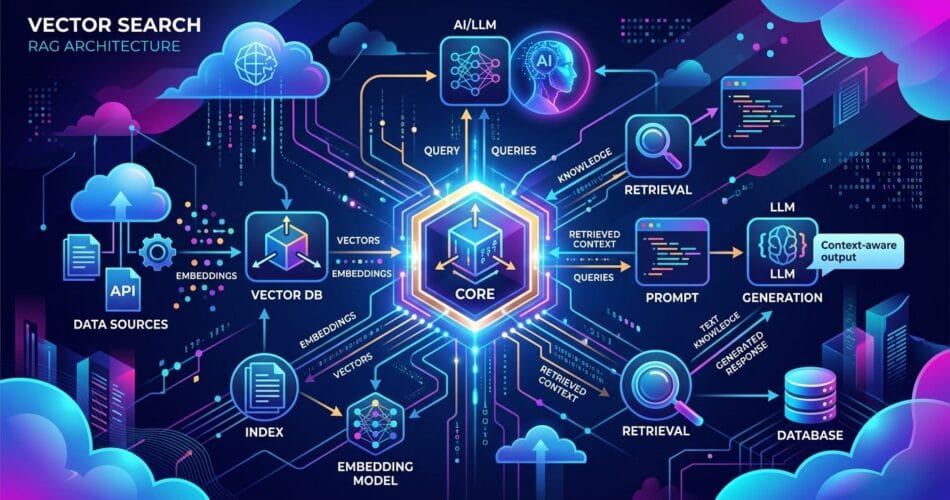
If you are looking for top vector databases for ai agents a 2026 developer guide, you are in the right place. When selecting vector databases ai agents 2026, as large language models (LLMs) and autonomous AI agents become more sophisticated, the real bottleneck for enterprise AI isn’t reasoning—it’s memory. If your AI agent cannot efficiently store, retrieve, and contextualize massive amounts of proprietary data, it will hallucinate or fail at complex tasks. This is where vector databases come in.
Unlike traditional relational databases that search for exact keyword matches, vector databases store data as high-dimensional mathematical embeddings. This allows AI to search by semantic meaning, powering the Retrieval-Augmented Generation (RAG) architectures that dominate modern AI engineering. In 2026, the market has consolidated, but choosing the right tool is still crucial. Let’s look at the top vector databases for building AI agents this year, and why you might choose one over the other based on scale, infrastructure, and ease of use.
1. Pinecone: The Developer Favorite
Pinecone continues to be the dominant managed vector database in 2026. Its serverless architecture means developers don’t have to worry about provisioning infrastructure, scaling shards, or managing index health. You simply send vectors and run queries.
- Pros: Completely serverless, incredible ease of use, integrates perfectly with LangChain and LlamaIndex, and offers ultra-low latency for production workloads.
- Cons: Closed source. You are entirely locked into their cloud ecosystem, and pricing can scale quickly if you are storing billions of vectors with high-frequency reads.
2. Qdrant: The Open-Source Powerhouse
Written in Rust, Qdrant has cemented its reputation as the fastest and most memory-efficient open-source vector database. It offers both a managed cloud service and a self-hosted option via Docker, giving you absolute control over your data residency.
- Pros: Open-source, extremely high throughput, advanced payload filtering (hybrid search), and very efficient RAM utilization.
- Cons: Self-hosting requires a solid understanding of Kubernetes and distributed systems if you want to run it at a massive scale.
3. Azure AI Search: The Enterprise Standard
For organizations deeply embedded in the Microsoft ecosystem, Azure AI Search (formerly Cognitive Search) has evolved into a formidable vector engine. It doesn’t just do vector search; it combines full-text, vector, and hybrid search into a single pipeline, backed by Microsoft’s massive infrastructure capabilities.
- Pros: Enterprise-grade security, seamless integration with Azure OpenAI, out-of-the-box OCR and document chunking, and world-class hybrid search reranking.
- Cons: The Azure portal UI can be complex to navigate, and the pricing tiers are generally higher than standalone vector DB startups.
4. Milvus: Built for Billion-Scale
When you graduate from a few million vectors to a few billion, Milvus is the tool you reach for. Originally built by Zilliz, it is an open-source project specifically designed to handle absolutely massive embedding datasets that would choke smaller, single-node solutions.
- Pros: Unmatched horizontal scalability, cloud-native architecture, and deep integration with modern MLOps pipelines.
- Cons: Extremely complex to deploy and manage on your own; practically requires a dedicated DevOps engineer or the use of their managed cloud service.
5. pgvector (PostgreSQL): The Pragmatic Choice
Why adopt a completely new database technology if you can just use Postgres? pgvector is an extension that adds vector similarity search directly to PostgreSQL. In 2026, performance improvements to the extension have made it a highly viable option for mid-sized datasets.
- Pros: You get to keep your existing relational data and vector data in the same place. This makes SQL JOIN operations with AI embeddings incredibly powerful and reduces architectural complexity by an order of magnitude.
- Cons: It is not a dedicated vector engine. At massive scale (hundreds of millions of vectors), dedicated tools like Pinecone or Milvus will severely outperform it.
Conclusion
Selecting the right vector database in 2026 depends entirely on your team’s resources and your application’s scale. If you want zero maintenance and fast iteration, choose Pinecone. If you want to own your infrastructure with maximum open-source performance, deploy Qdrant. If you are building enterprise RAG on Microsoft cloud, Azure AI Search is unmatched. For billion-scale problems, look at Milvus. And if you just want to add simple AI capabilities without overcomplicating your stack, pgvector is the smartest, most pragmatic choice you can make. The foundation of a reliable AI agent is its memory—choose wisely and scale confidently.