
Why I Built 25 Operating System Projects Instead of Reading Another Textbook
Operating systems are the one CS subject where reading another chapter rarely helps. The concepts are not hard because they are complicated, they are hard because they are invisible. A page fault does not print anything. A deadlock does not throw an exception. A context switch happens a thousand times a second and you never see it. So I stopped taking notes and started building instead.
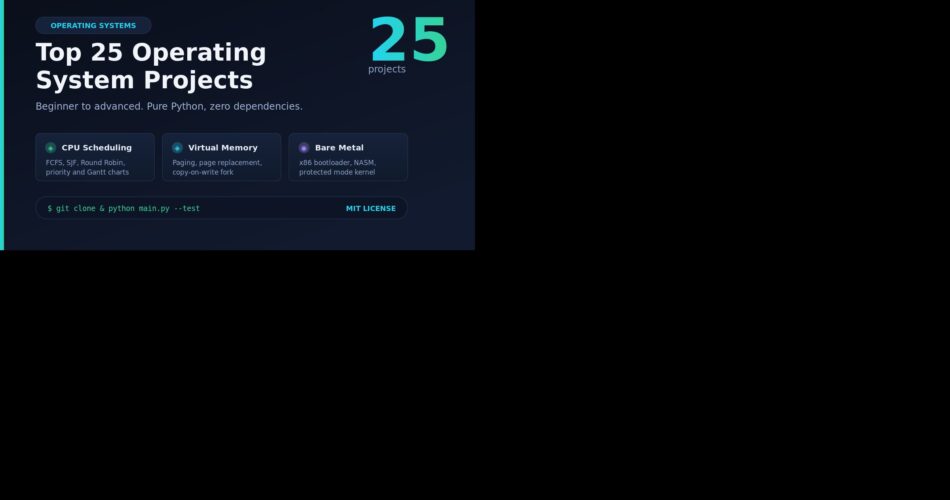
The result is Awesome 25 Operating System Projects, a repository of 26 standalone, fully tested projects (25 real projects plus a reference template) that isolate and implement fundamental OS primitives. Every one of them is pure Python standard library with zero external dependencies, so you can clone the repo and run any of them right now without a single pip install. Each project also ships a built-in assertion test suite behind a --test flag, so you are never left wondering if the thing you are looking at is actually correct.
I split them into three tiers: Beginner (projects 01-09), Intermediate (10-18), and Advanced (19-26). If you are prepping for placements or a systems interview, do the beginner tier first. If you have already passed OS 101 and want the interesting stuff, jump straight to Raft, the bootloader, or the copy-on-write fork simulator.
How To Run Any Of These Projects
It takes about 30 seconds. You need Python 3.10 or newer and nothing else.
# Clone the repository
git clone https://github.com/zpratikpathak/Awesome-25-Operating-System-Projects.git
cd Awesome-25-Operating-System-Projects

# Run any project's interactive demo
python "01 CPU Scheduling Algorithms/main.py"
python "11 Multithreaded Web Server/main.py"
python "20 Virtual Machine Bytecode CPU/main.py"

# Every project has a self-test
python "22 Distributed Raft Consensus Engine/main.py" --test
Project 19 (the x86 bootloader) is the one exception worth calling out. It ships genuine NASM assembly and a Python emulator so you can run it with no toolchain, but if you want to assemble the real MBR and boot it, nasm and qemu-system-i386 are the only extras you need.
Beginner Tier – Projects 01-09
Fundamental OS concepts: scheduling, memory, and basic concurrency primitives.
1. CPU Scheduling Algorithms
Beginner – Process Scheduling
If you want one project that makes the whole “how does the CPU decide who runs next” question click, this is it. The project simulates First-Come First-Served (FCFS), Shortest Job First (SJF, non-preemptive), Priority Scheduling, and Round Robin (RR) side by side, then computes completion time, turnaround time, and waiting time for every process.
The best part is the ASCII Gantt chart. Instead of staring at a textbook table, you watch the CPU hand out quanta in real time, see the idle gaps where the CPU is twiddling its thumbs waiting for a process to arrive, and immediately understand why SJF has a lower average wait time than FCFS while still starving long jobs.
python "01 CPU Scheduling Algorithms/main.py" --algo rr --quantum 3
2. Paging and Memory Allocation
Beginner – Memory Management
This one covers the two questions that trip up every OS student: “where does a process actually live in RAM” and “what happens when memory gets fragmented”. It simulates contiguous variable-partition allocation with First-Fit, Best-Fit, and Worst-Fit strategies, plus non-contiguous paging with page table address translation.
You see blocks split on allocation and merge (coalesce) on deallocation, translate logical addresses into physical frame addresses through a page table, and trigger page faults on unmapped addresses. Run First-Fit and Worst-Fit on the same workload back to back and the difference in external fragmentation is immediately visible.
python "02 Paging and Memory Allocation/main.py"3. Page Replacement Algorithms
Beginner – Virtual Memory
This project answers a question I had for years: why does adding more RAM sometimes make paging worse? It simulates First-In First-Out (FIFO), Least Recently Used (LRU), Least Frequently Used (LFU), and Belady’s Optimal algorithm on the same reference string, then reports page faults, hits, and hit ratio for each.
Fire it up with the optional step-by-step frame state trace and you can literally watch the frames fill and evict. Give it the classic Belady reference string at 3 frames versus 4 frames and watch FIFO’s fault count go UP when you give it more memory. That anomaly is the single best argument for why LRU exists, and seeing it beats reading about it ten times over.
python "03 Page Replacement Algorithms/main.py" --algo fifo --frames 3 --trace4. Producer Consumer Synchronization
Beginner – Concurrency
The producer-consumer problem is where concurrency stops being theory and starts being something you can break. This project builds a bounded buffer protected by POSIX-style counting semaphores and a mutex lock, with an alternative condition-variable implementation for comparison.
The empty and full semaphores are the real teachers here. They are what stop the buffer from overflowing when producers are fast and from being drained dry when consumers are fast. The included test suite hammers the buffer from multiple threads and verifies the item count is exactly right, which is the point where you stop trusting luck and start trusting the primitives.
python "04 Producer Consumer Synchronization/main.py" --producers 3 --consumers 3 --items 155. Dining Philosophers
Beginner – Deadlock Prevention
Five philosophers, five forks, and a deadlock waiting to happen. This project implements Dijkstra’s resource hierarchy solution: every philosopher picks up the lower-numbered fork first, which breaks the circular wait without needing a waiter or a timeout.
It runs as real threads with randomized thinking and eating intervals and prints a live status table showing every philosopher in THINKING, HUNGRY, EATING, or DONE. The self-test asserts the run completes with every philosopher fed and no deadlock. Once you have watched this loop run clean a hundred times, the jump to Readers-Writers below feels much smaller.
python "05 Dining Philosophers/main.py" --count 5 --meals 26. Readers Writers Problem
Beginner – Shared Memory Access
This project takes the classic Readers-Writers problem and does something most textbook versions do not: it shows you the bug. It implements both the reader-preference lock and the writer-fair turnstile lock, then monitors concurrency while the simulation runs.
Run it in reader-preference mode under heavy read traffic and you can watch writers starve indefinitely. Flip it to fair mode and the turnstile guarantees bounded wait time. The concurrency monitor tracks the maximum number of simultaneous readers and actively detects mutual exclusion violations, so you see the trade-off instead of being told about it.
python "06 Readers Writers Problem/main.py" --mode fair
7. Banker’s Algorithm for Deadlock Avoidance
Beginner – Resource Allocation
Dijkstra’s Banker’s Algorithm is the most over-taught and under-felt concept in OS courses. This project fixes that by making it interactive. It does full multi-instance resource accounting across N processes and M resource types, runs the Safety Algorithm to find a safe execution sequence, and lets you make a resource request that gets validated against the Need and Available vectors.
The magic moment is the automatic rollback. Ask for resources that would leave the system in an unsafe state and the project performs a hypothetical allocation, detects the problem, and rolls the state back. The matrix display shows Available, Allocation, Maximum claim, and Need all at once, which is exactly the mental model you need for the exam and the interview.
python "07 Bankers Algorithm Deadlock Avoidance/main.py"8. Disk Scheduling Algorithms
Beginner – I/O Subsystem
Spinning disks are the reason OS scheduling is not just about the CPU. This project simulates six disk arm scheduling policies: FCFS, Shortest Seek Time First (SSTF), SCAN (the elevator algorithm), C-SCAN, LOOK, and C-LOOK. It computes total head movement and prints the full seek sequence for each.
You can configure the disk boundaries, the initial head position, and the scan direction, then compare all six on the same request list. SSTF looks brilliant until you realize it is starving the far end of the disk, and SCAN suddenly makes sense as a fairness compromise. The test suite matches textbook reference calculations, so you can verify your hand-computed homework answers against it.
python "08 Disk Scheduling Algorithms/main.py" --head 100 --requests "55,58,39,18,90,160,150,38,184"9. Simple Command Line Shell
Beginner – OS Interface
Building a shell is the project that made the operating system stop being a black box for me. This one is a minimal Unix-like command-line interpreter written entirely in the Python standard library. It has an interactive REPL with a dynamic prompt showing the current directory, built-in commands (cd, pwd, history, help, exit), multi-stage pipelines, and full standard I/O redirection.
The pipeline implementation is the core insight. Chaining three processes with subprocess.Popen streams and watching the output of one flow into the input of the next is exactly how your real shell works. Once this clicks, `|`, `>`, and `>>` stop being magic incantations and become plumbing you understand well enough to debug.
python "09 Simple Command Line Shell/main.py" -c "echo Hello OS World"Intermediate Tier – Projects 10-18
Production kernel subsystems, userspace threading, caching, and network services.
10. Custom Memory Allocator
Intermediate – Dynamic Memory
Every language with a garbage collector is hiding this from you. The project implements two real allocation strategies: Buddy Memory Allocation with recursive power-of-two block splitting and XOR-based buddy address coalescing, and an Explicit Free-List allocator with first-fit and best-fit policies plus immediate bidirectional coalescing on free().
Beyond correctness, it tracks internal fragmentation (bytes wasted inside allocated blocks) and external fragmentation (free space too scattered to be usable). Watch the external fragmentation ratio climb as you allocate and free in a weird order, and you will never look at malloc the same way again.
python "10 Custom Memory Allocator/main.py" --allocator buddy --size 102411. Multithreaded Web Server
Intermediate – Network Concurrency
This project answers a question that sounds simple and is not: what actually happens between a browser opening a socket and a page appearing? It is a concurrent HTTP/1.1 web server built on raw standard-library sockets with a custom worker thread pool powered by a queue, not a framework in sight.
You get a real HTTP/1.1 request line and header parser handling GET, HEAD, and POST, keep-alive versus close connection lifecycles, dynamic MIME type resolution, and a /status telemetry endpoint. Point a load testing tool at it and you are watching thread pool sizing, queue backpressure, and socket accept loops – the same problems every production server solves.
python "11 Multithreaded Web Server/main.py" --port 8080 --workers 412. Virtual FAT File System
Intermediate – Storage Architecture
This project builds a complete in-memory FAT filesystem from scratch: virtual disk block storage partitioned into reserved sectors, the FAT table itself, and data clusters, with multi-cluster linked list chaining terminated by FAT_EOF, hierarchical directories, and full file CRUD.
The defragmenter is the highlight. It computes a fragmentation ratio by measuring non-contiguous cluster jumps, then re-chains every file into contiguous clusters and shows you the before and after. That is the cleanest possible demonstration of why FAT filesystems degrade over time, and it is genuinely satisfying to run.
python "12 Virtual FAT File System/main.py" --clusters 12813. Process Monitor CLI
Intermediate – OS Telemetry
This is the project that taught me the operating system is always telling you exactly what it is doing, you just have to know how to listen. It is a cross-platform process monitor written in pure standard library Python with no psutil, falling back to PowerShell/WMI on Windows and /proc or ps on POSIX.
It collects PID, PPID, process name, thread count, and memory working set, renders a sortable tabular view, and builds a full process tree hierarchy linking children to parents. Run it with –tree and trace your own shell’s ancestry back to init. Every container orchestrator, supervisor daemon, and observability agent is doing exactly this, just with more logging.
python "13 Process Monitor CLI/main.py" --tree14. Inter-Process Communication Broker
Intermediate – IPC Mechanisms
Once you have two processes, you need them to talk. This project implements four IPC paradigms in one place: a priority-ordered message queue with heap-based ordering, a framed duplex streaming pipe using a 4-byte length-prefix protocol, a condition-variable synchronized shared memory ring buffer, and a topic-based pub/sub routing broker.
Doing all four side by side is the real value. You stop treating IPC as one fuzzy concept and start seeing the trade-offs: message queues for decoupled work, pipes for streams, shared memory for raw throughput at the cost of synchronization complexity, and pub/sub for fan-out. The pub/sub broker even supports wildcard subscribers.
python "14 Inter-Process Communication Broker/main.py" --demo pubsub15. User-Level Thread Scheduler
Intermediate – Green Threads
This project builds an M:1 cooperative thread scheduler, also known as green threads or fibers, entirely in user space. Context saving and yielding happens through generator execution states, with a run queue, a sleep queue, and cooperative blocking via yield(), sleep(), and join().
It is the clearest possible answer to “what is the difference between a process, a kernel thread, and a green thread”. Every fiber moves through READY, RUNNING, SLEEPING, BLOCKED, and TERMINATED states while running on a single OS thread, and the execution trace audit log shows the scheduler making decisions. Go, Erlang, and async/await in Python are all doing a version of this.
python "15 User Level Thread Scheduler/main.py"16. Real-Time Task Scheduler
Intermediate – Hard Real-Time
Real-time scheduling is a completely different mental model, and this project is the clearest introduction to it I have found. It simulates Rate-Monotonic Scheduling (RMS, static priority where shorter periods win) and Earliest Deadline First (EDF, dynamic priority driven by deadlines) for periodic RTOS tasks.
It computes the Liu and Layland utilization bound, does exact iterative Response Time Analysis (RTA), calculates the hyperperiod as the LCM of all task periods, and flags deadline misses on a preemptive discrete-time timeline with ASCII Gantt charts. Watch a task set pass RMS and fail EDF (or the reverse) and the whole “hard real-time is a schedulability problem, not a speed problem” idea finally lands.
python "16 Real Time Task Scheduler/main.py"17. Mutex and Semaphore from Atomics
Intermediate – Atomic Primitives
This is the project that made synchronization stop being magic for me. Instead of importing a lock, it builds mutual exclusion from the ground up: Peterson’s Algorithm for two threads, Lamport’s Bakery Algorithm for N threads without any hardware atomic instruction, a Compare-And-Swap (CAS) spinlock, and an atomic counting semaphore.
The progression is the lesson. Peterson shows you the flag and turn variables, Bakery shows you ticket numbers and lexicographic ordering, and then CAS shows you what hardware support actually buys you. The test suite runs real threads through every primitive and verifies zero race conditions. After this, every lock you ever use is a little less mysterious.
python "17 Mutex and Semaphore from Atomics/main.py" --primitive bakery18. CPU Cache Memory Simulator
Intermediate – Hardware Architecture
This project simulates the single biggest performance gap in modern computing: the distance between the CPU and main memory. It models L1/L2 cache hierarchies in Direct-Mapped, N-Way Set-Associative, and Fully Associative organizations, with LRU and FIFO replacement policies and Write-Back versus Write-Through strategies.
The address decoder is where it starts making sense: it pulls the Tag, Set Index, and Block Offset bitfields out of a 32-bit address so you can see exactly why a power-of-two array stride causes conflict misses in a direct-mapped cache. Change the associativity and the misses evaporate. If you have ever wondered why column-major versus row-major iteration matters, this simulator shows you.
python "18 CPU Cache Memory Simulator/main.py"Advanced Tier – Projects 19-26
Bare-metal bootstrapping, virtual machines, kernel drivers, and distributed systems.
19. x86 Bootloader and Minimal Kernel
Advanced – Bare-Metal Bootstrap
This is the scariest project in the repo and the most rewarding. It builds an x86 bootloader and a minimal 32-bit kernel from bare metal, and it ships genuine NASM assembly source (boot.asm) for a 512-byte Master Boot Record alongside a real x86 real-mode and protected-mode machine emulator written in Python.
You watch the boot sequence stage by stage: segmented real-mode addressing, BIOS INT 10h teletype output and INT 13h disk reads, the Global Descriptor Table setup, the A20 line enable, the PE bit flip in CR0, the far jump into 32-bit Protected Mode, and finally the kernel writing directly to the memory-mapped VGA text buffer at 0x000B8000. If you want to run it on metal, nasm and qemu-system-i386 are the only extras you need.
python "19 x86 Bootloader and Minimal Kernel/main.py"20. Virtual Machine Bytecode CPU
Advanced – Emulation and Architecture
This project builds a complete 32-bit register-based virtual CPU: 8 general-purpose registers (R0-R7), a Program Counter, a Stack Pointer, condition flags (Z, N, C, O), 64KB of linear addressable RAM, an ALU, a hardware stack, a two-pass assembler, and a bytecode execution engine.
Writing assembly for it is the point. The assembler resolves symbolic labels and emits compact bytecode, and the repo ships demo programs for Factorial, Fibonacci, and recursion with visible CALL and RET stack frames. Every JVM, V8, and LuaJIT is doing a larger version of exactly this. This is also the project that makes the concept of an instruction set click if you are coming from Python.
python "20 Virtual Machine Bytecode CPU/main.py" --program factorial21. Copy-on-Write Memory Fork Simulator
Advanced – Virtual Memory
fork() feels like magic until you realize the kernel is lying to you. This project models the Virtual Memory Manager and the fork() system call using Copy-on-Write, with a physical frame allocator, reference-counted frames, two-level page tables carrying Present, Writable, COW, Accessed, and Dirty flags, and a page fault handler.
The key insight is right there in the output: fork() executes instantly and shares every physical frame with zero data duplication. Only when a process writes to a shared page does the write-protection trap fire, the kernel’s COW handler steps in, and a private copy is made. The reference count optimization that promotes a shared frame directly to writable when the count hits 1 is a genuinely elegant detail.
python "21 Copy on Write Memory Fork Simulator/main.py" --pages 522. Distributed Raft Consensus Engine
Advanced – Distributed OS
This project takes Raft, the consensus protocol behind etcd and CockroachDB, and makes it runnable on your laptop. It models the full state lifecycle across Follower, Candidate, and Leader, with randomized election timeouts, heartbeat intervals, strict term monotonicity, log replication through AppendEntries, and voting through RequestVote.
The killer feature is the network partition engine. You can isolate a group of nodes, watch the minority side reject writes and roll back uncommitted log entries, then heal the partition and see log reconciliation happen automatically. The commit index advances on a majority quorum, and the whole thing drives a real key-value state machine with SET and DEL. If distributed systems feel like dark magic, this is the flashlight.
python "22 Distributed Raft Consensus Engine/main.py" --nodes 523. Linux Character Device Driver Simulator
Advanced – Kernel Drivers
Kernel drivers are intimidating because the vocabulary is enormous. This project hands it to you in a sandbox: device numbers (dev_t) with major/minor encoding, the struct file_operations dispatch table with open, release, read, write, and unlocked_ioctl, a circular ring buffer for stream I/O, non-blocking I/O semantics with O_NONBLOCK returning -EAGAIN, and process file descriptor tables.
The ioctl interface is fully wired up: IOCTL_GET_STATS queries buffer statistics, IOCTL_CLEAR_BUFFER purges the buffer, and IOCTL_SET_CAPACITY resizes it live. Because it is a simulator, you can experiment with driver semantics without risking a kernel panic, which is exactly the bridge you need before writing a real .ko module.
python "23 Linux Character Device Driver Simulator/main.py" --device /dev/mycharenv24. Log-Structured File System
Advanced – Advanced Filesystems
This project implements the Rosenblum and Ousterhout log-structured filesystem architecture: every data modification, inode update, and metadata change is buffered and written sequentially to the head of an append-only log, which turns random writes into sequential writes and eliminates the seek penalty.
The machinery is all here: an Inode Map (imap) that resolves floating inode positions because inodes move with every write, a fixed Checkpoint Region anchoring the imap segments, Segment Summary blocks tracking file ownership and logical offsets, and a Segment Cleaner that computes block liveness ratios and compacts live blocks. There is even a crash recovery subsystem that restores the checkpoint and rolls forward uncommitted writes.
python "24 Log Structured File System/main.py" --clean25. Multilevel Feedback Queue Scheduler
Advanced – Advanced Scheduling
This is the project that connects classroom scheduling to the scheduler actually running your laptop right now. It implements the 3-tier Multilevel Feedback Queue from the classic OSTEP curriculum: Q0, Q1, and Q2 with decreasing priority and increasing time quantums.
The rules are the interesting part. New jobs start at the top priority; jobs that burn their full allotment get demoted; I/O-bound interactive jobs that block early stay high and keep getting the fast quantum. Rule 5, the periodic global priority boost, is what keeps long-running CPU-bound jobs from starving at the bottom forever. It is the bridge between the toy algorithms in project 1 and a real preemptive scheduler.
python "25 Multilevel Feedback Queue Scheduler/main.py"How To Actually Use This List
Do not do all 25 in order. That is how you burn out at project 12. Instead, pick the concept that is foggiest in your head and build that one. If scheduling confuses you, start with project 1 and work forward to the MLFQ in project 25, which is the same idea scaled up to what your laptop actually runs. If virtual memory confuses you, do 2, then 3, then jump to 21 for copy-on-write, which is where paging becomes genuinely clever.
Every project has a --test flag, and I genuinely recommend reading the test file before the main file. The assertions tell you what invariants the code is protecting, which is usually a much better map of the concept than the implementation is. Then change the test inputs and watch the simulation break or adapt. That loop – read, run, break, understand – is the entire reason I built this repo.
If you are interviewing, projects 1, 3, 5, 7, 21, and 22 cover an astonishing share of the systems questions I have ever been asked. The Banker’s Algorithm, Belady’s anomaly, the dining philosophers, copy-on-write fork, and Raft consensus are all standard fare, and being able to talk about them from having built them is a very different conversation than recalling them from a slide deck.