

AWS Cognito to Azure AD B2C migration became inevitable for us when enterprise security requirements started blocking real business deals.

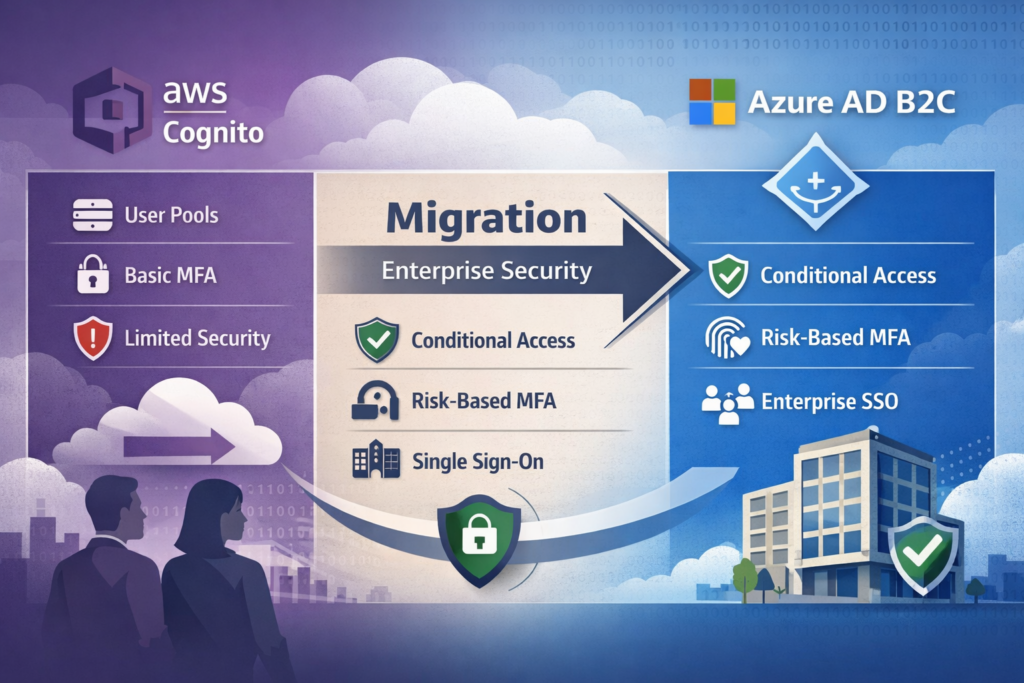
I need to have a conversation with myself about the day we lost a major enterprise contract because of a login screen.
For years, I was an AWS loyalist. My infrastructure was on EC2, my database on RDS, and naturally, my user identity was on Amazon Cognito. It was the default choice. It was integrated. It was cheap.
But then we started moving upmarket. We weren’t just selling to consumers anymore; we were selling to Fortune 500 companies.
And that is when the requests started coming in.
“We need to enforce MFA, but only if the login comes from outside our corporate VPN range.”
“We need to block logins from these three specific countries due to compliance.”
“We need a branded login experience that exactly matches our corporate portal, not just a logo on a white card.”
With Cognito, I found myself writing endless Lambda triggers and custom JavaScript wrappers to try and hack these features together. I was fighting the framework.
That’s when I took a hard look at Azure Active Directory B2C (now part of Microsoft Entra).
I migrated for the enterprise features, but I stayed for one specific capability that solved my security headaches overnight.
The “Good Enough” Trap
Before I explain the solution, let me explain the pain.
Cognito is excellent for “zero to one.” You spin up a User Pool, you get an SDK, and you have users.
But Cognito struggles with context. To Cognito, a login is a login.
If a user logs in from their usual device in New York, or from an unknown device in a basement in a different continent, Cognito treats them largely the same unless you pay for the “Advanced Security” add-on, which I found to be a “black box.”
I couldn’t write rules. I couldn’t say, “If X and Y, then force MFA.” I could only turn MFA on or off globally or per user.
For my enterprise clients, “Good Enough” security wasn’t good enough.
AWS Cognito to Azure AD B2C: The Game-Changing Feature
The feature that convinced me to switch is Conditional Access.
If you have used corporate Microsoft 365, you know this feature. It is the engine that decides if a user should be allowed in. But getting this power in a B2C (Consumer) facing app? That is a superpower.
Why Conditional Access Wins
Conditional Access isn’t just a set of rules; it’s an If-This-Then-That engine for security.
It takes signals:
- User/Group (Is this a VIP user?)
- Location (Is this a blocked country?)
- Device (Is this a managed device?)
- Risk (Did the password just leak on the dark web?)
And it makes a decision:
- Allow access
- Block access
- Require MFA
- Force password reset
In Cognito, implementing “Risk-Based Step-Up Authentication” (e.g., only ask for MFA if the login looks suspicious) required me to write custom logic in my app code.
In Azure AD B2C, it is a policy configuration.
The Integration: Seamless Federation
The other side of the enterprise coin is SAML/OIDC Federation.
My clients wanted to bring their own identity (BYOID). They wanted to log in to my app using their Okta or Azure AD credentials.
Setting this up in Cognito was always a struggle of mapping attributes and debugging obscure XML errors. Azure AD B2C speaks “Enterprise” fluently. It is built on the same stack as the corporate Azure AD.
The Code: A Developer-First SDK
Switching from the AWS Amplify SDK to the Microsoft Authentication Library (MSAL) was surprisingly refreshing.
Here is how simple it is to initialize a secure, enterprise-ready auth flow in a React app.
Cognito (Amplify) Approach:
Often required wrapping components and handling state manually for complex flows.
Azure AD B2C (MSAL) Approach:
import { PublicClientApplication } from "@azure/msal-browser";

const msalConfig = {
    auth: {
        clientId: "your-client-id",
        authority: "https://yourtenant.b2clogin.com/yourtenant.onmicrosoft.com/B2C_1_SignIn",
        knownAuthorities: ["yourtenant.b2clogin.com"],
        redirectUri: "http://localhost:3000",
    }
};

const msalInstance = new PublicClientApplication(msalConfig);

// Triggering the login is one line
const loginRequest = {
    scopes: ["openid", "profile"]
};

msalInstance.loginPopup(loginRequest).then(response => {
    console.log("Logged in!", response);
});
This simple config handles the redirects, the token exchange, and crucially, it respects whatever Conditional Access policies I have set in the Azure Portal.
AWS Cognito to Azure AD B2C Migration Journey
Migrating identity is the scariest task in IT. If you lose user data, you lose the business. Here is how I managed the transition from Cognito User Pools to Azure AD B2C.
Phase 1: The Token Mapping
- Cognito uses
subfor the user ID. - Azure B2C uses
oid(Object ID) orsubdepending on config.
I updated my backend API to accept both token formats during the transition period. This allowed the API to serve users regardless of which system authenticated them.
Phase 2: Just-In-Time (JIT) Migration
Instead, we used a “JIT Migration” pattern using Azure B2C Custom Policies.
- User enters credentials in the new B2C login page.
- B2C silently calls a REST API.
- The API sends those credentials to Cognito.
- If Cognito says “Yes,” B2C creates the user in its own directory and logs them in.
To the user, nothing changed. Behind the scenes, we were draining the Cognito pool one user at a time.
Phase 3: Enterprise Onboarding
Real Results: The Numbers
After six months, the impact on our business was tangible.
| Metric | AWS Cognito Era | Azure AD B2C Era |
|---|---|---|
| Enterprise Sales | Blocked by Security reqs | Accelerated |
| Risk-Based Auth | Custom Code (Fragile) | Native (Conditional Access) |
| Customization | CSS hacking | Full HTML/CSS Control |
| Compliance | DIY | Microsoft Trust Center |
1. Unblocking Sales
The ability to say “Yes, we support Conditional Access” and “Yes, we integrate with your Sentinel SIEM” unblocked three major contracts in the first quarter.
2. Unified Identity
We realized we could use a single B2C tenant to handle our mobile app consumers (Social Login) AND our business users (SAML Federation). We stopped maintaining two separate auth stacks.
3. Sleeping Better
Knowing that Microsoft’s AI is watching for “Impossible Travel” (e.g., logging in from London and Tokyo 5 minutes apart) and blocking it automatically meant I stopped reading logs at 2 AM.
Is Azure AD B2C Perfect?
No. It is complex.
Documentation Overload:
Microsoft has so much documentation that it can be hard to find the right documentation. The difference between “User Flows” (simple) and “Custom Policies” (complex XML) is a steep learning cliff.
Portal Latency:
The Azure Portal is slower than the AWS Console. It just is.
Cost:
B2C has a generous free tier (50,000 MAU), but the Premium P1/P2 features needed for Conditional Access do cost extra. However, for enterprise contracts, this cost is negligible compared to the contract value.
Final Thoughts
I’m talking to myself here, and to any developer who built their MVP on Cognito and is now facing the “Enterprise Wall.”
Cognito got you this far. It’s a great tool. But identity isn’t just about checking passwords anymore. It’s about Governance, Risk, and Trust.
Moving to Azure AD B2C allowed us to stop acting like a startup and start acting like an enterprise partner.
The feature that changed everything wasn’t a line of code. It was the ability to define a policy that protected my application without me having to write a single if statement.
If you are tired of building your own security fences, it might be time to move to a platform that comes with a fortress included.
Related Reading: Ensure your systems scale smoothly by checking out our Azure OpenAI Rate Limits Guide.