
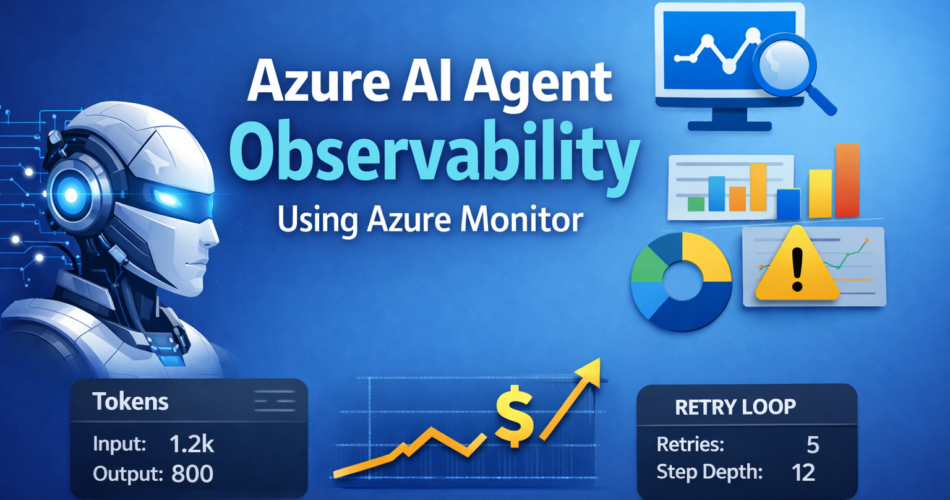
Azure AI Agent observability using Azure Monitor becomes critical the moment your multi-step agents leave staging and encounter real production traffic.
When I first deployed a reasoning workflow inside Azure, everything looked stable in testing. Responses were coherent. Latency felt predictable. No visible errors.
Then production traffic arrived.
A retry loop multiplied tool calls silently. Token usage crept upward. A downstream dependency throttled intermittently, causing subtle degradation — not hard failures, just slower reasoning paths.
Nothing crashed.
But costs rose. Latency drifted. Behavior shifted.
What fixed it wasn’t rewriting prompts. It was implementing structured telemetry and trace-level visibility using capabilities outlined in the official Azure Monitor documentation. Within hours of proper instrumentation, the retry loop became obvious, token growth was measurable, and the planner configuration causing it was corrected.
That experience permanently changed how I approach agent systems.
Observability isn’t polish. It’s operational control.
1. Structured Logging: The Foundation of Control
The first win is visibility into what your agent is actually doing.
Default logs are not enough. Agent systems require structured telemetry tied to workflow context.
Instead of:
print("Tool executed")Use something closer to:
logger.info(
    "agent_step",
    extra={
        "workflow_id": workflow_id,
        "step_name": step,
        "tool": tool_name,
        "latency_ms": latency,
        "input_tokens": input_tokens,
        "output_tokens": output_tokens
    }
)
When this flows into Azure Monitor via Application Insights, you can query:
- Average latency per step
- Token usage by workflow version
- Tool frequency under concurrency
This directly enables early detection of token drift — often before billing makes it obvious.
Without structured context, monitoring becomes noise.
2. Distributed Tracing Across Agent Steps
Multi-step agents behave like distributed systems.
Each execution might:
- Call a planner
- Query search
- Invoke a function
- Summarize results
These steps must share a correlation ID.
Using OpenTelemetry:
from opentelemetry import trace

tracer = trace.get_tracer(__name__)

with tracer.start_as_current_span("planner_step"):
    run_planner()
Application Insights will render a trace timeline like this:
Agent Request
 ├── Planner Step (120ms)
 ├── Search Query (340ms)
 ├── Tool Invocation (90ms)
 └── Summary Generation (210ms)
Now latency is attributable instead of mysterious.
This is where debugging shifts from speculation to evidence.
3. Token and Cost Monitoring
Most teams monitor response time.
Few monitor token economics.
Emit custom metrics:
metrics.track_metric("agent_input_tokens", input_tokens)
metrics.track_metric("agent_output_tokens", output_tokens)
Then configure alerts:
- If average token usage increases 25%
- If cost per execution exceeds baseline
- If retries rise above normal thresholds
In one system I worked on, a planner update increased token usage by 30%. Because token metrics were visible in Azure Monitor, the regression was caught within hours instead of at the end of the billing cycle.
Cost visibility is not accounting. It’s architectural feedback.
4. Detecting Silent Failures
Agents rarely fail loudly. They degrade.
Track:
- Step execution count
- Retry attempts
- Branch depth
- Tool re-invocation frequency
Example KQL:
AgentLogs
| summarize avg(step_count), avg(retry_count) by agent_version
This surfaces:
- Infinite loops
- Planner instability
- Branch explosions
If you only monitor HTTP status codes, you will miss this entirely.
Observability exposes behavioral drift — not just exceptions.
5. Scaling Under Concurrency
As concurrency increases, orchestration complexity multiplies.
You will begin seeing:
- Tool bottlenecks
- Storage latency spikes
- Dependency throttling
Azure Monitor allows you to correlate:
- Request rate
- Dependency duration
- Failure percentage
But this only works if logs include:
- workflow_id
- agent_version
- step_name
Without that metadata, diagnosing scaling issues becomes guesswork.
Observability under load is the difference between controlled scaling and chaotic firefighting.
Performance, however, is only half the equation. In regulated environments, visibility also determines compliance posture.
6. Governance and Compliance Visibility
In enterprise environments, observability supports governance as much as performance.
Azure Monitor integrates with:
- Role-based access control
- Log retention policies
- Azure Policy enforcement
- Regional data boundaries
Sensitive payloads should never be logged raw. Instead, log metadata:
- Token counts
- Step identifiers
- Execution outcomes
I’ve seen teams log entire prompts and responses for debugging. During compliance review, they were forced to purge logs and redesign telemetry.
Observability done incorrectly creates risk.
Done correctly, it reinforces governance.
7. Intelligent Alerting
Too many alerts create noise. Too few create blind spots.
Instead of alerting on every error, focus on deviation:
- 40% latency increase
- Retry count exceeding baseline
- Cost per workflow doubling
Dynamic threshold alerts in Azure Monitor help avoid alert fatigue while still surfacing meaningful anomalies.
Observability should guide action, not overwhelm operators.
End-to-End Flow: From Step to Alert
A clean observability pipeline looks like this:
- Agent step executes
- Structured log emitted
- Trace span recorded
- Application Insights collects telemetry
- Azure Monitor aggregates metrics
- Alert triggers on anomaly
For example:
If planner latency increases 50% over ten minutes, Azure Monitor triggers an alert. You inspect the correlated trace in Application Insights, identify Azure AI Search throttling, and adjust capacity.
That’s not just monitoring — that’s operational feedback.
What Azure Monitor Does Not Do
Monitoring alone does not guarantee stability.
It will not:
- Fix flawed reasoning logic
- Prevent poor prompt design
- Automatically optimize workflow branching
I’ve seen teams assume telemetry equals reliability. It doesn’t. Logs reveal problems. Architecture fixes them.
Observability exposes truth. It does not replace engineering judgment.
The Hidden Failures of Ignoring Observability
When teams skip structured monitoring, they eventually face:
- Silent cost inflation
- Undetected retry storms
- Latency creep under concurrency
- Compliance blind spots
- Reactive firefighting
Every mature agent system hits one of these.
The difference is whether you detect it early — or after production impact.
Final Thoughts
Azure AI Agent observability using Azure Monitor provides leverage in three critical areas:
- Cost control — detect drift before billing shocks
- Operational speed — isolate latency precisely
- Risk reduction — maintain governance visibility
As agent systems evolve into multi-step reasoning architectures, visibility becomes foundational to stability — especially when comparing orchestration approaches like Azure AI Agents vs LangGraph.
Build observability early.
Because once production traffic scales, retrofitting clarity is far more expensive than designing it upfront.