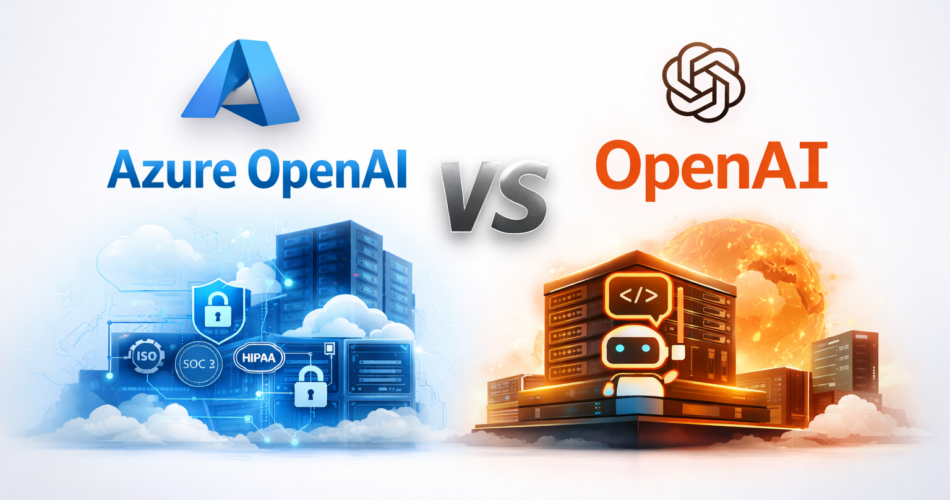
When I first compared azure openai vs openai, I assumed the difference was mostly branding.
Same models. Same GPT-4. Same intelligence.
So what really changes?
A lot more than people think.
If you’re building AI into a real production system, the differences between Azure OpenAI and OpenAI affect security, networking, compliance, billing, rate limits, and operational control.
This is not about which is “better.”
It’s about which is correct for your architecture.
What Is the Core Difference?
At the model level, both platforms provide access to OpenAI models like:
- GPT-4o
- GPT-4.1
- GPT-3.5 Turbo
The intelligence layer is the same.
The difference lies in infrastructure and governance.
- OpenAI = Direct API access from OpenAI.
- Azure OpenAI = OpenAI models hosted inside Microsoft Azure with Azure-native controls.
That distinction changes everything operationally.
Authentication and Setup
Let’s start with something practical.
OpenAI (Direct API)
from openai import OpenAI

client = OpenAI(api_key="your_api_key")

response = client.chat.completions.create(
    model="gpt-4o",
    messages=[{"role": "user", "content": "Explain transformers briefly"}]
)

print(response.choices[0].message.content)
Simple. API key. Done.
Azure OpenAI
from openai import AzureOpenAI

client = AzureOpenAI(
    api_key="your_azure_key",
    azure_endpoint="https://your-resource.openai.azure.com/",
    api_version="2024-02-15-preview"
)

response = client.chat.completions.create(
    model="gpt-4o-deployment-name",
    messages=[{"role": "user", "content": "Explain transformers briefly"}]
)

print(response.choices[0].message.content)
Differences you must account for:
- You deploy models first.
- You call deployments, not raw model names.
- You must pin an API version.
- You configure resource-level quotas.
This is one of the most overlooked differences in azure openai vs openai.
Microsoft documents these deployment and API versioning requirements in the official Azure OpenAI documentation.
Azure requires explicit API version pinning. OpenAI does not.
Security and Identity
Both platforms are secure and maintain strong certifications (SOC 2, ISO 27001, etc.).
The real difference is integration depth.
With Azure OpenAI, you can:
- Use Microsoft Entra ID authentication
- Use Private Endpoints
- Restrict traffic inside VNets
- Apply Azure Policy
- Centralize governance in Azure
With OpenAI directly, you use:
- API keys
- Network-level restrictions at your infrastructure layer
- OpenAI-managed compliance boundaries
If you’re already deeply invested in Azure, the security model becomes a decisive factor in azure openai vs openai.
Networking and Isolation
This is where enterprise teams usually decide.
Azure OpenAI allows:
- Private Link
- No public internet exposure
- Regional data control
- Integration with existing VNets
OpenAI’s API is public internet–based.
That’s not a weakness — but it is an architectural difference.
For regulated industries, azure openai vs openai becomes a networking decision before anything else.
Rate Limits and Quotas
This is a real operational difference.
OpenAI:
- Tier-based limits
- Scales automatically as usage increases
- Easier for startups
Azure OpenAI:
- Resource-level quotas
- Throughput allocated per deployment
- Quota increases require approval
For example, Azure may allocate 240K tokens per minute to a GPT-4 deployment. If you need more, you submit a quota request.
Understanding this difference early avoids painful scaling surprises when comparing azure openai vs openai.
Pricing Structure
Per-token pricing is generally similar, especially when comparing enterprise deployments and advanced features like fine-tuning.
The difference is billing flow.
OpenAI:
- Direct billing through OpenAI account
- Simple startup-friendly structure
Azure OpenAI:
- Billed via Azure subscription
- Integrated with Azure Cost Management
- Enterprise contract alignment
For teams already operating large Azure workloads, consolidating billing is often a strong advantage in azure openai vs openai decisions.
Model Availability Timing
Sometimes OpenAI releases models slightly earlier than Azure.
Azure may lag briefly in certain regions.
If you need the absolute newest model immediately, OpenAI often gets it first.
But Azure typically follows quickly.
Support Differences
OpenAI:
- Standard OpenAI support channels
Azure OpenAI:
- Covered under Azure enterprise support contracts
- Integrated into existing Microsoft support workflows
Large enterprises often choose Azure OpenAI for this reason alone.
Support structure is an underrated factor in azure openai vs openai comparisons.
Compliance and Governance
Both platforms maintain strong certifications.
Azure’s advantage is governance integration:
- Azure Policy
- Centralized logging
- Role-based access controls
- Audit trails within Azure ecosystem
OpenAI provides strong compliance — Azure provides deep integration into existing compliance infrastructure.
Can You Use Both?
Yes.
Some teams run:
- Azure OpenAI as primary
- OpenAI as fallback for new models or overflow
It adds complexity, but increases resilience.
Hybrid strategies are becoming common in serious azure openai vs openai architectures.
Quick Decision Matrix
Choose OpenAI if:
- You want fastest onboarding
- You’re a startup
- You don’t need private networking
- You want simple scaling
Choose Azure OpenAI if:
- You’re already on Azure
- You need Private Link
- You require enterprise governance
- Compliance alignment matters
FAQ: Azure OpenAI vs OpenAI
Are Azure OpenAI and OpenAI using the same models?
Is pricing different between Azure OpenAI and OpenAI?
Does Azure OpenAI provide better security?
Can I switch from OpenAI to Azure OpenAI later?
Which should startups choose?
How do rate limits differ between Azure OpenAI and OpenAI?
Final Thoughts
The debate around azure openai vs openai is not about intelligence.
It’s about infrastructure philosophy.
OpenAI optimizes for simplicity and speed.
Azure OpenAI optimizes for governance and integration.
Neither is universally better.
The right choice depends on your system — not on marketing claims.