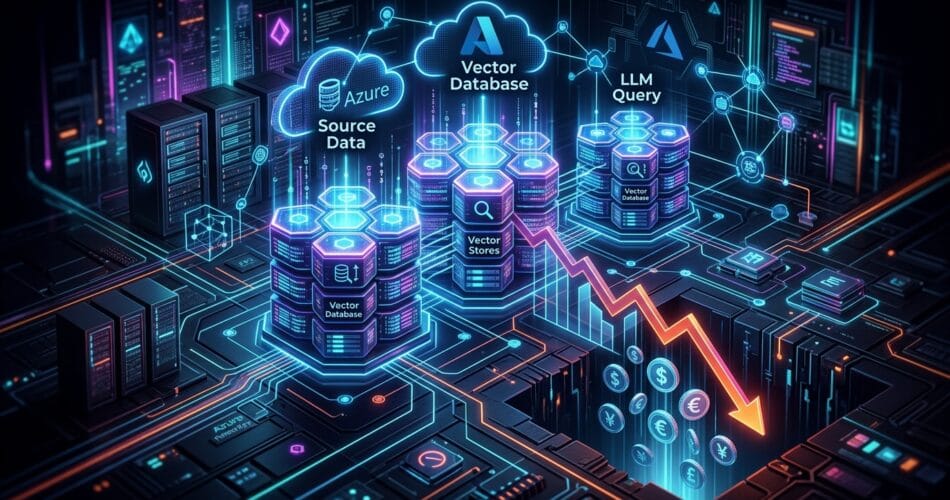
Retrieval-Augmented Generation (RAG) is the backbone of most enterprise AI applications today. By grounding large language models (LLMs) like GPT-4o in private corporate data, organizations can eliminate hallucinations and provide highly specific, context-aware answers.
However, once a RAG application moves from a proof-of-concept to a production deployment serving thousands of users, the billing dashboard becomes a terrifying sight. Every time a user asks a question, your system performs a dense vector search, retrieves top-k chunks of text (often thousands of tokens), and passes that massive context window to an expensive LLM. If 500 users ask variations of “What is the new remote work policy?”, your Azure OpenAI bill inflates by processing the exact same context documents 500 times.
In this technical deep dive, we’ll explore the single architectural tweak that can slash your RAG token costs by upwards of 40%: Semantic Caching.
The Architectural Challenge: The Redundancy of Human Queries
Traditional web applications rely heavily on caching (like Redis or Memcached) to intercept frequent database queries. If user A and user B request the same dashboard, the database only computes it once. The cache serves the subsequent request.
In generative AI, caching is notoriously difficult because human language is infinitely variable. A user might ask “What’s the WFH policy?” while another asks “Can I work from home on Fridays?”. A traditional cache looks for exact string matches and will completely miss the connection, forcing the system to run an expensive LLM generation for both prompts despite them having identical intents.
The Solution: Semantic Caching
Instead of caching the exact string of the user’s prompt, Semantic Caching calculates the vector embedding of the incoming query and performs a similarity search against a cache of previously answered questions. If the new question is semantically identical to a cached question (e.g., a cosine similarity score above 0.95), the system returns the cached LLM response immediately—completely bypassing the retrieval step and the expensive LLM generation step.
The Cost Savings Breakdown:
- Zero Retrieval Cost: You bypass querying your primary vector database (like Pinecone or Azure AI Search).
- Zero Context Token Burn: You do not pass the 3,000+ tokens of retrieved documents into the LLM context window.
- Zero Generation Token Burn: You do not wait for the LLM to generate the output token-by-token.
- Near-Zero Latency: The user gets an instant response in milliseconds rather than waiting seconds for an LLM to stream the answer.
Implementation: Building a Semantic Cache
You can implement this using open-source tools like GPTCache or by leveraging Redis as a vector database. Below is a simplified Python architecture using a Redis vector store to intercept queries before they reach Azure OpenAI.
import numpy as np
from redis import Redis
from openai import AzureOpenAI
# Initialize Redis (configured with RediSearch) and Azure OpenAI
redis_client = Redis(host='localhost', port=6379, decode_responses=True)
azure_client = AzureOpenAI(api_key="your_key", azure_endpoint="your_endpoint", api_version="2023-05-15")
def get_embedding(text):
response = azure_client.embeddings.create(input=text, model="text-embedding-ada-002")
return np.array(response.data[0].embedding, dtype=np.float32).tobytes()
def ask_rag_system(user_query):
query_vector = get_embedding(user_query)
# 1. Check the Semantic Cache First
# Search Redis for previously asked questions with similarity > 0.95
cached_result = redis_client.execute_command(
"FT.SEARCH", "query_cache",
f"@vector:[VECTOR_RANGE 0.05 $query_vector]=>{{$yield_distance_as: score}}",
"PARAMS", "2", "query_vector", query_vector,
"LIMIT", "0", "1", "RETURN", "1", "response"
)
if cached_result[0] > 0:
print("✅ Cache Hit! Bypassing LLM.")
# Return the previously generated response (Index 2 holds the properties dict)
return cached_result[2][1]
print("❌ Cache Miss. Routing to standard RAG pipeline...")
# 2. Standard RAG Pipeline (Expensive)
context = retrieve_documents_from_vector_db(query_vector)
llm_response = generate_llm_answer(user_query, context)
# 3. Save to Semantic Cache for future users
cache_id = f"cache:{hash(user_query)}"
redis_client.hset(cache_id, mapping={
"vector": query_vector,
"query_text": user_query,
"response": llm_response
})
return llm_response
When NOT to use Semantic Caching
While semantic caching is a silver bullet for FAQs, documentation search, and company policy bots, it should be avoided in real-time analytical systems. If your RAG application queries live financial data or real-time inventory statuses, caching the LLM response will lead to users receiving stale, outdated answers. In those scenarios, you should cache the data retrieval step, not the LLM generation step.
Conclusion
By simply fronting our enterprise RAG system with a Redis-backed semantic cache, we were able to intercept roughly 40% of all user queries. Those 40% of queries cost us absolutely nothing in Azure OpenAI compute, reduced our API rate limiting bottlenecks, and delivered answers to users instantly.
As you scale your AI architecture, remember that the fastest and cheapest LLM call is the one you never have to make.
Related Reading: Once your RAG system is optimized for cost, ensure your multi-agent architecture is equally efficient. Read my deep dive on I Saved 80k Tokens a Day Just By Changing How My AI Agents Talk to Each Other to learn about prompt compression, and explore Managing State in Multi-Agent Workflows: Redis vs Cosmos DB to choose the right persistence layer.