
The Upgrade I Didn’t Want to Do
Managing Python 3.13 environments with uv wasn’t on my roadmap.
When Python 3.13 landed, my first instinct was familiar:
“I’ll deal with it later.”
Not because I dislike new Python versions —
but because every major upgrade brings the same problems:
- Dependencies lag behind
- Wheels aren’t ready
- Tools fail quietly
- CI behaves differently from local machines
I’ve learned the hard way that Python upgrades don’t fail in production.
They fail in environments.
Why Python 3.13 Feels Different
Python 3.13 isn’t just another version bump.
What matters for environment management is this:
- Stricter deprecation enforcement
- Internal refactors
- Removed legacy behaviors
- More packages with C extensions needing rebuilds
That means some packages:
- Install but crash at runtime
- Refuse to install due to version constraints
You don’t just need “a new Python”.
You need a safe way to test, isolate, and iterate.
Prerequisites
Before working with Python 3.13 using uv, make sure you have:
- Python 3.10+ installed (newer is smoother)
- uv installed
- Basic familiarity with Python dependencies
Install uv once:
pip install uvIf Python 3.13 isn’t available locally, uv automatically downloads it when needed.
The “Just Use venv” Workflow Finally Broke
This used to be my default:
python3.12 -m venv .venv
source .venv/bin/activate
pip install -r requirements.txt
Then repeat the whole thing for every Python version.
With Python 3.13, this workflow started to fall apart:
- Switching versions felt risky
- Old virtualenvs leaked state
- I avoided rebuilding environments
- CI drifted away from local
That’s not a Python problem.
That’s an environment problem.
The Shift: Environments Should Be Disposable
The core idea behind managing Python 3.13 environments with uv is simple:
Environments should be cheap to create, easy to reuse, and painless to discard.
uv is built around that philosophy.
Running Python 3.13 Instantly
This was the moment everything clicked:
uv run --python 3.13 python --versionNo virtualenv creation.
No activation.
No guessing which Python is active.
If Python 3.13 isn’t installed, uv downloads it automatically and caches it.
What uv run Actually Does (Important Clarification)
uv run does not create a brand-new environment for every command.
Instead:
- uv creates an isolated, project-scoped environment
- That environment is cached and reused intelligently
- If dependencies or Python version change, uv rebuilds only what’s necessary
This gives you isolation without constant rebuild costs.
Running Code on Python 3.13
Run a script:
uv run --python 3.13 python script.pyRun tests:
uv run --python 3.13 pytestSame project.
Different interpreter.
No setup ceremony.
Installing Dependencies the Right Way (uv-Native)
Instead of manually installing into global interpreters, the recommended uv workflow is:
uv sync --python 3.13This:
- Creates a project-specific environment
- Installs dependencies from
pyproject.tomlor lockfile - Keeps Python versions isolated cleanly
No manual venv management required.
pyproject.toml + Python 3.13 (Clean Workflow)
Example pyproject.toml:
[project]
requires-python = ">=3.10"
[project.dependencies]
fastapi = "*"
uvicorn = "*"
Install and run with Python 3.13:
uv sync --python 3.13
uv run uvicorn app:app
One configuration.
Multiple interpreters.
No duplication.
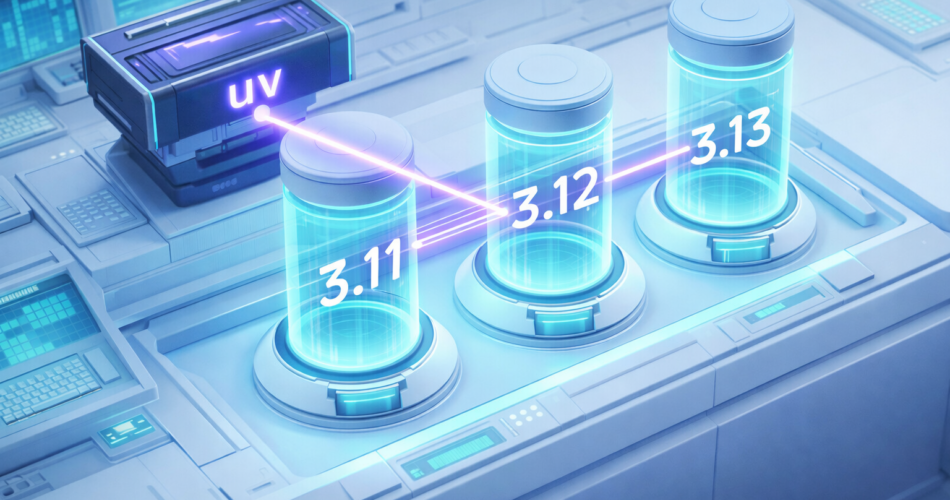
Side-by-Side Python Version Testing
This is where uv becomes invaluable during upgrades:
uv run --python 3.11 pytest
uv run --python 3.12 pytest
uv run --python 3.13 pytest
Same code.
Same dependencies.
Three Python versions.
Failures surface immediately — not weeks later.
CI Without Environment Pain
CI pipelines usually expose version problems late.
With uv, my CI steps became predictable:
# Install dependencies
uv sync --python 3.13

# Run tests
uv run pytest
No activation scripts.
No interpreter juggling.
Fewer moving parts.
That simplicity is the real win.
venv vs uv: Practical Comparison
| Aspect | Traditional venv | uv |
|---|---|---|
| Setup workflow | Multi-step | Single command |
| Multi-version testing | Manual switching | --python flag |
| Environment isolation | Manual | Automatic |
| Cleanup | Manual deletion | uv cache clean |
| CI parity | Fragile | Strong |
This isn’t about raw speed — it’s about iteration speed and confidence.
Common Python 3.13 Gotchas (And What to Do)
C-Extension Packages
Libraries like numpy, pandas, and others must be rebuilt for Python 3.13.
If imports fail:
- Check PyPI for updated wheels
- Use pre-releases if available
- Temporarily pin Python for that dependency
Version Constraints
Example blocker:
package>=3.8,<3.13Options:
- File an upstream issue
- Track compatibility releases
- Delay upgrade for that dependency only
uv makes these problems visible early, not hidden.
Troubleshooting Quick Fixes
Python 3.13 not found?
→ uv auto-downloads it, or install via pyenv if preferred.
Imports failing after upgrade?
uv sync --python 3.13 --reinstallDependency won’t install?
→ It may not support 3.13 yet. Check PyPI metadata.
Cleaning Up Experiments
Testing multiple Python versions creates cache state.
Cleanup is simple:
uv cache cleanNo hunting for old virtualenvs.
No mystery directories.
What About pyenv, asdf, or conda?
These tools solve different problems:
- pyenv / asdf → installing Python versions
- conda → scientific stacks and binary ecosystems
- uv → fast, project-scoped environments and installs
They complement each other.
You don’t have to choose just one.
When uv Might Not Be Necessary
If you:
- Maintain a single long-lived environment
- Rarely test new Python versions
- Avoid frequent rebuilds
Then uv may feel unnecessary.
Final Thoughts
Managing Python 3.13 environments with uv didn’t make upgrades exciting.
If you’re still deciding where uv fits in your tooling stack, a deeper comparison against Poetry and PDM may help.
It made them boring.
And boring is exactly what environment management should be.
Python versions will keep evolving.
Dependencies will lag.
Breakage will happen.
What matters is having a workflow that lets you test early, isolate failures, and move forward with confidence.
For me, uv finally made Python upgrades feel manageable.