
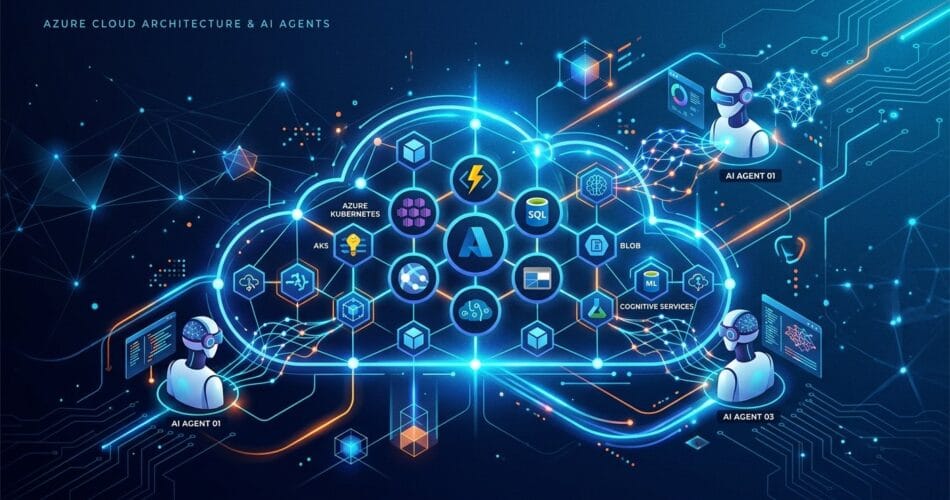
As enterprise applications increasingly rely on artificial intelligence, simple chatbot integrations are no longer enough. The industry is moving toward autonomous AI agents—systems capable of understanding intent, making decisions, executing multi-step workflows, and integrating securely with enterprise data. If you are building on the Microsoft stack in 2026, Azure AI Agents are your most powerful tool.
In this guide, we will break down the top architecture patterns for deploying Azure AI Agents, how they differ from standard LLM endpoints, and why they represent the future of cloud computing.
What Are Azure AI Agents?
An AI agent is more than just a wrapper around an LLM. It comprises three core components that work together in a continuous loop:
- The Brain (LLM): Typically an Azure OpenAI model (like GPT-4o) responsible for reasoning, planning, and language generation.
- Memory and Context: Azure Cosmos DB or Azure AI Search used to maintain state and context across long-running conversational sessions.
- Tools and Actions: Function calling and integrations with APIs (like Microsoft Graph, SQL databases, or custom enterprise endpoints) allowing the agent to perform real-world tasks.
Top Azure Architecture Patterns
1. The RAG (Retrieval-Augmented Generation) Pattern
The RAG pattern is the foundational architecture for enterprise AI. It grounds your agent’s responses in your proprietary data, drastically reducing hallucinations.
- Data Ingestion: Documents are ingested via Azure Data Factory, chunked, and vectorized using Azure OpenAI embedding models.
- Vector Store: Embeddings are stored in Azure AI Search using its highly scalable vector search capabilities.
- Retrieval: When a user asks a question, the agent retrieves the most relevant chunks and passes them to the LLM as context.
2. The Multi-Agent Orchestration Pattern
Why have one agent when you can have a team? Using frameworks like AutoGen or LangGraph hosted on Azure Kubernetes Service (AKS), you can deploy specialized agents that talk to each other.
# Example concept of multi-agent setup
researcher_agent = Agent(role="Data Analyst", tools=[azure_sql_tool])
writer_agent = Agent(role="Technical Writer", tools=[sharepoint_tool])

orchestrator.run([researcher_agent, writer_agent], task="Analyze Q3 sales and draft report")
This pattern is perfect for complex workflows like automated software testing, financial auditing, or comprehensive customer onboarding.
3. The Event-Driven Agent Pattern
Agents do not always need to wait for a human prompt. By combining Azure Event Grid and Azure Functions, you can build autonomous background agents.
- An email arrives in an Office 365 inbox.
- A Logic App triggers an Azure Function hosting your agent.
- The agent analyzes the email, extracts key action items, updates a CRM via API, and drafts a reply.
Azure AI Agents vs AWS Bedrock Agents
If you are evaluating cloud providers, you might be wondering how Azure compares to AWS Bedrock. AWS Bedrock provides a fully managed agent experience, which is incredibly fast to set up. However, Azure AI Agents win out when it comes to deep enterprise ecosystem integration. Because Azure agents tie natively into Microsoft Graph, Azure Active Directory, and Semantic Kernel, they are usually the better choice for organizations heavily invested in the Microsoft stack.
If you are deciding between the underlying coding frameworks for these agents, you might want to read my detailed breakdown on LangChain vs Semantic Kernel.
Cost Analysis and Pricing Strategy
Running autonomous agents can get expensive quickly because they execute multiple LLM calls in a loop (thought, action, observation loops). When planning your Azure architecture, keep these cost factors in mind:
- Token Consumption: Every time an agent retrieves tools or memory, the context window grows. Use models like GPT-4o-mini for routine routing tasks to save money, reserving GPT-4o only for complex reasoning.
- Vector Search Costs: Azure AI Search bills by the hour based on the tier. Ensure you right-size your index to avoid overpaying for idle capacity.
- Compute Hosting: Hosting your agents on Azure Container Apps scales to zero, saving money compared to a constantly running AKS cluster.
Security and Governance
When deploying agents capable of taking actions on behalf of users, security is paramount.
- Managed Identities: Never hardcode credentials. Use Azure Managed Identities so your agent securely accesses Key Vault, Cosmos DB, and APIs.
- Azure API Management (APIM): Situate your agents behind APIM to enforce rate limiting, monitor usage, and protect against malicious prompts.
- Content Safety: Utilize Azure AI Content Safety to filter both the inputs to the agent and the outputs it generates, ensuring compliance with corporate guidelines.
Conclusion
Azure provides an unparalleled ecosystem for building secure, scalable, and highly capable AI agents. By moving beyond simple chat interfaces and embracing these advanced architecture patterns, you can unlock massive productivity gains for your enterprise. Start small with a basic RAG agent, and progressively scale up to multi-agent, event-driven orchestration.