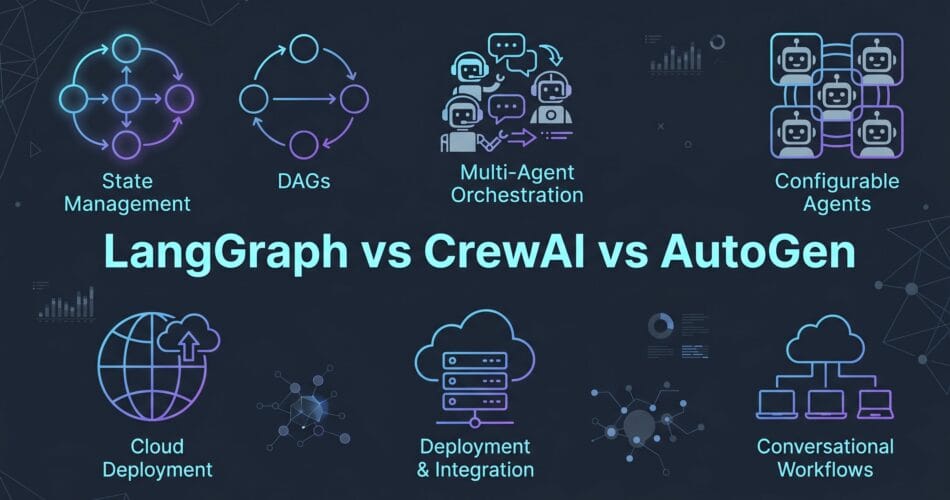
When building enterprise AI systems in 2026, the big debate is LangGraph vs CrewAI vs AutoGen. If you’re deciding which one to build your next multi-agent system on, you’ll find plenty of tutorials for each — and almost no guidance on how to choose between them.
This article is that guidance.
After shipping agentic systems on all three for enterprise clients across healthcare, logistics, and financial services, here’s the reality of what works in production, complete with code examples, costs, and architectural trade-offs.
The 30-Second Verdict
Here is the breakdown across key engineering metrics:
- Production Reliability: LangGraph leads with deterministic execution and native state persistence. AutoGen has improved significantly, but loop predictability requires strict caps. CrewAI’s delegation chains can get fragile in long-running, unsupervised tasks.
- Development Speed: CrewAI is the undisputed champion here. You can get a working demo in 2-3 engineer-days. AutoGen takes about 5-7 days, while LangGraph’s graph mental model has a steeper learning curve, usually taking 10-14 days.
- Observability: LangGraph wins again thanks to first-class LangSmith tracing out of the box. AutoGen is improving but often requires custom work. CrewAI tracing delegation chains is currently limited.
- Human-in-the-Loop (HITL): LangGraph has native, first-class support (pause the graph, wait for input, resume). AutoGen uses a human proxy agent pattern, and CrewAI requires custom wrappers.
| Feature | LangGraph | CrewAI | AutoGen |
|---|---|---|---|
| Production Reliability | High (Deterministic state) | Medium (Fragile delegation) | Medium (Needs strict caps) |
| Development Speed | Slow (10-14 days) | Fast (2-3 days) | Moderate (5-7 days) |
| Observability | Native (LangSmith) | Limited | Improving (Custom required) |
| Human-in-the-Loop | First-class native support | Requires wrappers | Proxy agent pattern |
| Cost Efficiency | High (Explicit paths) | Medium | Low (Debate loops burn tokens) |
LangGraph: The Standard for Production Control
LangGraph is LangChain’s graph-based agent orchestration layer. Agents are defined as nodes, state flows through edges, and conditional logic determines routing. Everything is explicit.
Choose LangGraph if:
- Your workflow has strict compliance requirements.
- You need human review checkpoints mid-workflow.
- Your system needs to run 24/7 with an auditable state.
Implementation Example
from langgraph.graph import StateGraph, END
from langchain_openai import ChatOpenAI

def query_db(state):
    results = db.search(state["query"])
    return {"docs": results}

def summarize(state):
    llm = ChatOpenAI(model="gpt-4o-mini")
    summary = llm.invoke(f"Summarize: {state['docs']}")
    return {"summary": summary.content}

graph = StateGraph(dict)
graph.add_node("query", query_db)
graph.add_node("summarize", summarize)
graph.add_edge("query", "summarize")
graph.add_edge("summarize", END)
graph.set_entry_point("query")

agent = graph.compile()
CrewAI: The King of Fast Prototyping
CrewAI’s core abstraction revolves around roles. You define agents with names, goals, backstories, and tools. You define tasks, and a crew collaborates to complete those tasks by passing outputs between roles.
Choose CrewAI if:
- You need a working demo in under a week.
- Your use case is content generation, research synthesis, or multi-perspective analysis.
- Your team includes non-engineers who need to read and reason about agent behavior.
Implementation Example
from crewai import Agent, Task, Crew

researcher = Agent(
    role="Database Researcher",
    goal="Find relevant records in the company database",
    backstory="Expert at semantic search and retrieval",
    tools=[db_search_tool]
)

task = Task(
    description="Search for records matching: {query}",
    expected_output="A concise summary of findings",
    agent=researcher
)

crew = Crew(agents=[researcher], tasks=[task])
result = crew.kickoff(inputs={"query": "user question"})
AutoGen: The Azure-Native Powerhouse
AutoGen is Microsoft Research’s multi-agent conversation framework. Agents communicate by exchanging messages in a conversation loop until they converge on a result. The 2.0 release introduced an async-first architecture.
Choose AutoGen if:
- You’re running on Azure OpenAI and want native integration with Microsoft’s stack.
- Your use case involves code generation, review, or iterative reasoning loops.
- You need flexible conversation patterns (two-agent, group chat, nested).
Implementation Example
from autogen import AssistantAgent, UserProxyAgent

researcher = AssistantAgent(
    name="researcher",
    llm_config={"model": "gpt-4o-mini"},
    system_message="You search the database and summarize findings."
)

user_proxy = UserProxyAgent(
    name="user",
    human_input_mode="NEVER",
    max_consecutive_auto_reply=3
)

user_proxy.initiate_chat(
    researcher,
    message="Find and summarize records for: user query",
    max_turns=3
)
Cost Comparison: What You’ll Actually Spend
The framework itself is free, but the cost lies in tokens and infrastructure. Here is a benchmark based on a 3-step research workflow running 1,000 times per day on GPT-4o-mini.
LangGraph Cost
- Avg tokens per run: ~4,200
- Daily cost (1,000 runs): $2.10
- Monthly cost: $63
CrewAI Cost
- Avg tokens per run: ~5,100
- Daily cost: $2.60
- Monthly cost: $78
AutoGen Cost
- Avg tokens per run: ~11,400
- Daily cost: $5.70
- Monthly cost: $171
As you can see, LangGraph is significantly cheaper to run at scale because its explicit structure eliminates redundant LLM calls. AutoGen without termination caps can easily double your expected infrastructure costs.
Final Thoughts: When to Mix Frameworks
Enterprise AI architectures increasingly combine these frameworks rather than choosing a single one. A common pattern is using CrewAI for the research and synthesis phase (fast, multi-perspective) and passing a structured JSON object to LangGraph for the execution phase (deterministic, observable, human-in-the-loop).
No matter which framework you choose, remember that bad retrieval (RAG) will kill your agent before the orchestration framework even matters. Fix your data quality first, define your tools strictly, and always build failure paths alongside your happy paths.
For more guides on deploying these AI agents in cloud environments, check out my Azure Architecture guides and AI engineering tutorials.